Gran Turismo 4 Import Impressions
Polyphony Digital unleashes the PlayStation 2's most anticipated racer on a captive Japanese audience, and we take the game for a spin.
After a hefty wait that's tested the patience of fans worldwide, Sony and Polyphony Digital have finally let Gran Turismo 4 loose on the public. The highly anticipated sequel is the latest entry in the long-running series that has continually raised the bar for console racing sims and pushed Sony's hardware to its limits. For the franchise's swan song on the PlayStation 2, Polyphony has opted to throw just about everything into the game but the kitchen sink (and in this case, "kitchen sink" means "online play").
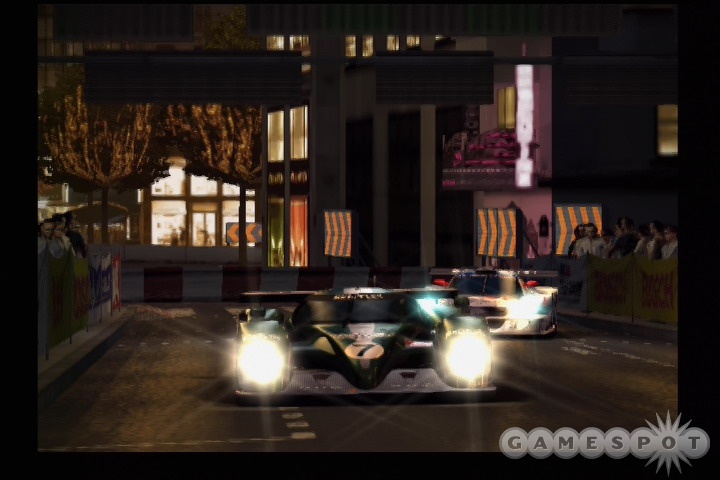
As is often the case with games that have seen delays, the biggest question that looms over GT4 has obviously been: "Was it worth the wait?" Based on our initial playtime, we have to say the answer is a resounding: "Oh, yeah!" Gran Turismo 4 boasts the biggest lineup of cars and tracks the franchise has ever seen, and for those keeping score at home, that means 700 cars and 50 tracks are included, and they've all been buffed up to a glistening sheen after having been on the receiving end of Polyphony Digital's trademark attention to detail. If that isn't enough, the game comes bundled with a 209-page "reference guide" that was written by the racing freaks at Polyphony.
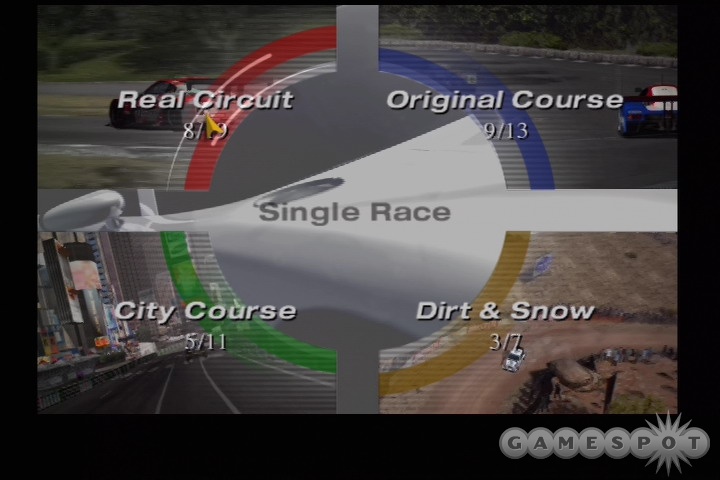
Gran Turismo 4's feature set is massive in terms of game mode content and technical bells and whistles, thus ensuring that you'll be playing the game for possibly as long as it took to develop, which is no mean feat. As with the previous entries in the series, you can plan on choosing from the same core modes as before: arcade and Gran Turismo. Arcade will offer several different racing options for you to test your skills alone or with a friend. You'll find four race types: single, time trial, two-player battle, and multi-LAN race. Single is what you'd expect. It's a tear through any of the available tracks using any of the available cars. The tracks are broken up into four categories: real circuit, original course, city course, and dirt & snow. To give you a taste of the game's size, you'll find that eight of 19 tracks are open in real circuit; nine of 13 in original; five of 11 in city; and three of seven in dirt & snow. Of the four sets of tracks, every set of tracks except the real circuit courses can be played in normal or reverse layouts.
As far as cars go, the vehicles at your disposal are broken up into three categories. The first category, which initially contains 240 cars, lays out your standard assortment of vehicles (organized by manufacturer). The second category, initially featuring 87 cars, offers a greatest hits selection of classic cars from 1966 to 1999. The last category basically holds a favorite vehicle that you'll set aside for easy access. Once you've chosen a car, you'll be able to customize its paint job from a pool of colors that varies for each vehicle. After that's sorted, you can tweak the transmission and various options on the car. Before you start a race, you can choose to run a standard A-spec race or a B-spec one (more on B-spec in a second). You'll also be able to tweak more options on your car and the game. When your A-spec race begins, you'll see how many points you'll earn, should you win, displayed on the screen as the camera pans over the assembled competitors. The A-spec races play out the way they always have and offer hefty challenges for you in your attempts to cross the finish line ahead of the opposition. The points you earn will go toward funding your spending sprees to get cars and parts for them.
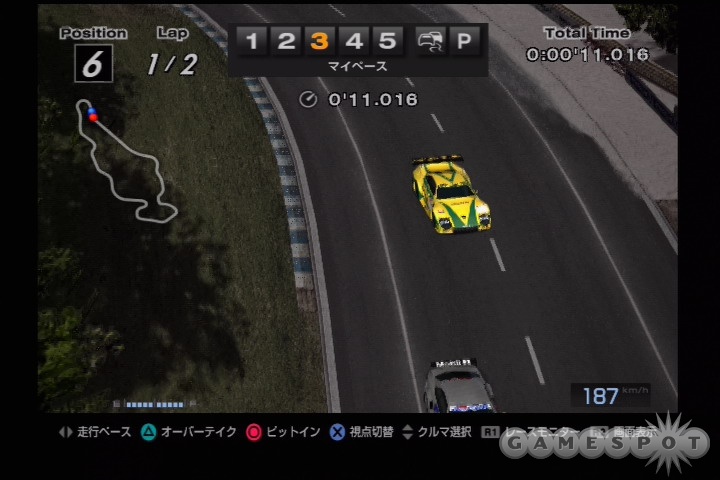
In addition to the traditional-style A-spec races, Gran Turismo 4 also contains a new racing mode known as B-spec, which offers an alternate racing experience. The mode essentially casts you in the role of manager and challenges you to guide your artificial intelligence-controlled car to victory via prompting. The race unfolds in front of you from slick replay camera angles that give the competitions broadcast-style appearances. A bar across the top of the screen lets you offer directions to your driver. Your advice is dispensed via one of five numbered buttons or via two icons that you'll highlight. Button one represents the slowdown command, and it makes your driver slow down, thus reducing tire wear. Button two is "relax," and it makes your driver take a much more conservative pace in the race. Three is "my pace," and it lets the driver keep the best pace for any given racing status. Four is "pace up," which makes your driver increase his pace while also making him race a bit more aggressively. Five is "hard push," which has your driver going to the absolute limits to pick up the pace. The downside to this is that you'll risk course outs and crashes, as well as maximizing tire wear. A two-car icon at the far right of your control bar is the "overtake" command, and like "hard push," it carries with it course out and crash risks. The final icon, a "P," makes your racer pit as soon as possible.
You'll have two ways to issue commands. When watching a race, you'll use the D pad to select orders one through five for your driver. Meanwhile, the triangle will command your driver to overtake cars, and the circle will make your driver pit. If you press the R1 shoulder button, you'll leave the race and come to a display menu that offers the same functionality as the D pad and also offers the option to speed up the race up to three times. While the B-spec mode may sound a bit dry in print, you'll find that you'll be kept on your toes almost as much as if you were actually racing. Your AI driver is far from perfect, though, and will make mistakes that are stress-inducing.
More content than you can shake a stick shift at.
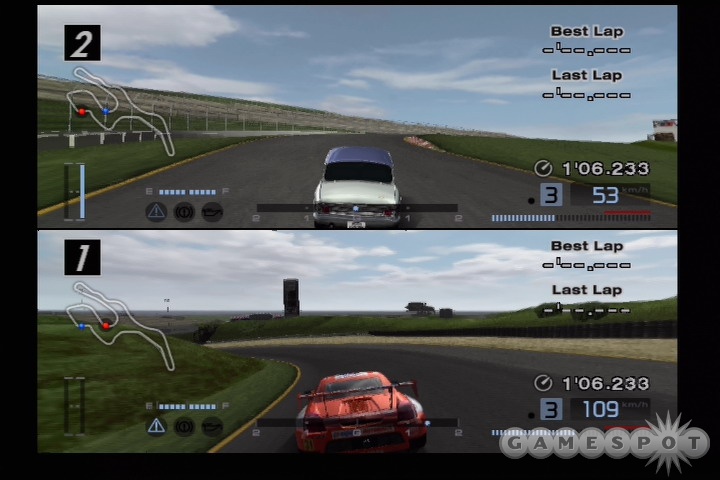
As for the rest of the arcade race modes, time trial will obviously challenge you to beat the best times on a track, and in some cases, you'll have to beat some inhumanly fast times. Two-player battle will let you take on a friend in split-screen competition (the screen can be split horizontally or vertically). Multi-LAN race will let you play against up to six friends over a local area network, provided everyone has a copy of the game, a Japanese PS2, and a television handy.
But while the arcade modes will certainly offer plenty of appetizer-sized diversions for you, Gran Turismo mode is the full meal. You'll start, as you always do, at the bottom of the racing pack, where you'll be forced to claw your way to the top. Getting there will be a hard-won privilege accomplished by earning licenses that let you compete with the big dogs while also earning you the cash to buy and properly tune the wheels that will get you there. However, before you prepare to roll up your sleeves and dive in, we should happily note that veterans of Gran Turismo 3 and owners of last year's Gran Turismo 4 Prologue disc will be kindly rewarded for their obsessions with GT over these past few years. Gran Turismo 4's hefty save data file will make use of saves from either or both of those two games, thus allowing you to both start the game with all the cash you stockpiled in GT3 and carry over the completed license tests in Prologue. This lets you bypass some of the work to be done in GT4.
The GT mode follows the same structure it always has. You'll buy a car, earn a license, race to win cash, tune up your existing car, buy another one, earn more licenses, and work your way up the food chain. You'll work your way through the mode via a world map that features six key locations and a few other points of interest. "My Home" is basically your garage, where you'll swap the cars in your collection, check your progress in the game, and organize your photo collection. "Car Town" is where you'll buy and sell new and used cars, as well as the parts you'll need to tune them up. "GT Auto" lets you buy wheels, get oil changes, and wash your cars."License Center" is where you'll earn the various licenses you'll need to compete; "Hall" is where you'll compete in races; and "Circuit" is where you can choose to participate in various driving sessions, such as free run or photo travel. In addition to these locales, you'll also find a "photo travel" spot where you can set up glamour poses of your cars and then take pictures of them. Once you have the shots taken, you'll be able to store them in the game, or you can print them out using a USB printer. "Replay Theater" lets you play back and organize the replays you save in arcade and Gran Turismo mode. "Music Theater" lets you listen to the game's extensive assortment of background music, and it lets you set which tunes you want to hear during replays and photo slide shows.
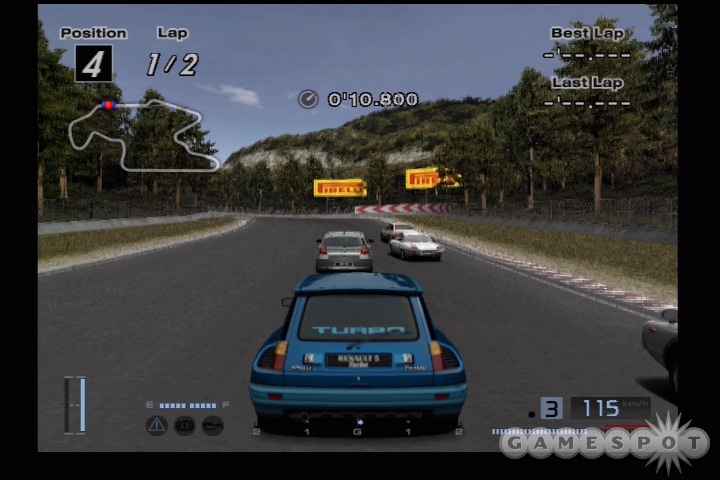
Your success in all the modes will obviously hinge on your driving, and GT4 provides you with a solid set of "tools" for victory thanks to its control options. The game's set of optional assists definitely offers a hefty amount of help. Aside from the tight, responsive control on the PS2 Dual Shock analog controller, GT4 offers support for the GT Force and GT Force Pro steering wheel peripherals, which both offer stellar handling. That said, don't expect to be smoking your AI opponents, because, despite the game's solid handling, your computer-controlled nemeses are a brutal lot, and they don't leave you with much room for error.
There's not much more to be said about the graphics in GT4 beyond the fact that they make the racer the "best-looking PS2 game ever." For those that require a bit more enlightening, we'll say that GT4 is the best-looking racer on the PS2 and will likely remain so until the hardware bows out to make room for its successor. The cars and environments are polygon-rich masterpieces that balance excellent art direction with the technical prowess that has ensured every installment in the GT franchise is a stunner. Polyphony has managed to wrest an even greater level of detail out of the hardware than its predecessor, which has resulted in a near photorealistic appearance for the visuals while maintaining the franchise's trademark 60 frames per second. What makes this all such an impressive achievement is that Polyphony has managed to include 480p and 1080i support, which is no easy task considering how well the game looks and runs.
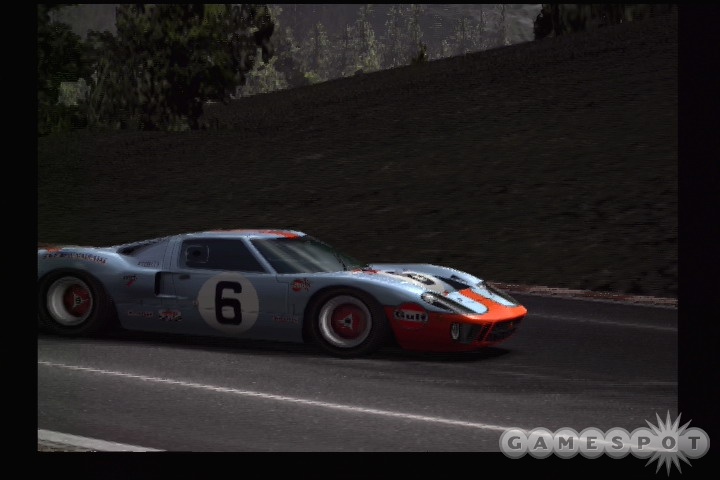
The audio is equally impressive thanks to Dolby Pro Logic II support that helps the cars roar with convincing life. Those with the setup to take advantage of the impressive audio support won't be disappointed by what they hear. If you don't have a plush home theater setup, it's still hard to be unimpressed by the audio mix Polyphony has produced for the cars. In addition, an eclectic soundtrack that meshes modern tunes with rock classics, like Van Halen's "Panama," is an appropriate accompaniment to the high-speed action.
While we've touched on the major aspects of what GT4 offers, this is all really a first impression of the tip of the iceberg. We'd be lying if we said we weren't still pining for some online play, but all things considered, GT4 looks to be just about everything you could want from a GT offering. Be sure to check back with us in the coming weeks as we explore more of Sony's impressive racer. Until then, check out our new movies of Gran Turismo 4 in motion.
Got a news tip or want to contact us directly? Email news@gamespot.com
Join the conversation