GameSpot's Video Card Roundup 2006
This video card guide will show you what cards are available in your price range and how they perform in today's PC games.
This video card guide will show you what cards are available in your price range and how they perform in today's PC games. If you're just starting to learn about video cards, we recommend that you check out GameSpot's
We've divided the video cards by price into four categories: high-end, performance, mainstream, and budget. Our budget list includes all the current-generation video cards available for $100 or less. The mainstream group includes cards that retail for up to $200. Bump the price range up to $200-$400 to get to our performance cards. And finally, we have our extremely broad high-end category that includes everything over $400 that covers both single cards and dual-card setups. We've focused on current-generation GeForce 7 series and Radeon X1K series video cards in this roundup.
High-End Video Cards
You should consider buying a high-end video card or dual-card configuration if you want to play your games at the highest resolutions with the highest image-quality settings. We're talking resolutions that start at 1600x1200 (4:3) and 1680x1050 (widescreen) and image-quality settings that have the best antialiasing (smoothes out jagged lines) and anisotropic filtering (keeps textures looking good at all distances and angles) settings enabled by default. You can easily get away with buying a far less expensive card if you have a small monitor, prefer lower screen resolutions for whatever reason, or don't need extremely high image-quality settings.
Don't go high-end with the sole purpose of trying to "future-proof" your system. Inexperienced buyers will often choose the most expensive cards when putting together a system with the belief that investing in better parts now will pay off in the long run by delaying the inevitable hardware upgrade by several years. The problem with that approach is that a computer isn't a timeless item like good cookware or a classic coat, where it makes sense to pay extra for quality. Video cards double in performance every 18 to 24 months, and new cards also support a constantly growing feature set that can produce advanced graphic effects that older cards simply can't do. If you buy a $500 video card now, there's a good chance you'll be able to buy a card that's just as powerful and can produce better-looking graphics for $250 two years from now. Go for a high-end card or dual-card setup only if you require the best image quality at extremely high resolutions, but understand that top-of-the-line today becomes average in two years and ready for the trash bin in four.
Note that dual-video card SLI and CrossFire configurations have added costs beyond the price of the cards. The dual-card setups require specialized motherboards and a big power supply capable of delivering enough juice to all the components in the system.
Nvidia GeForce 7950 GX2
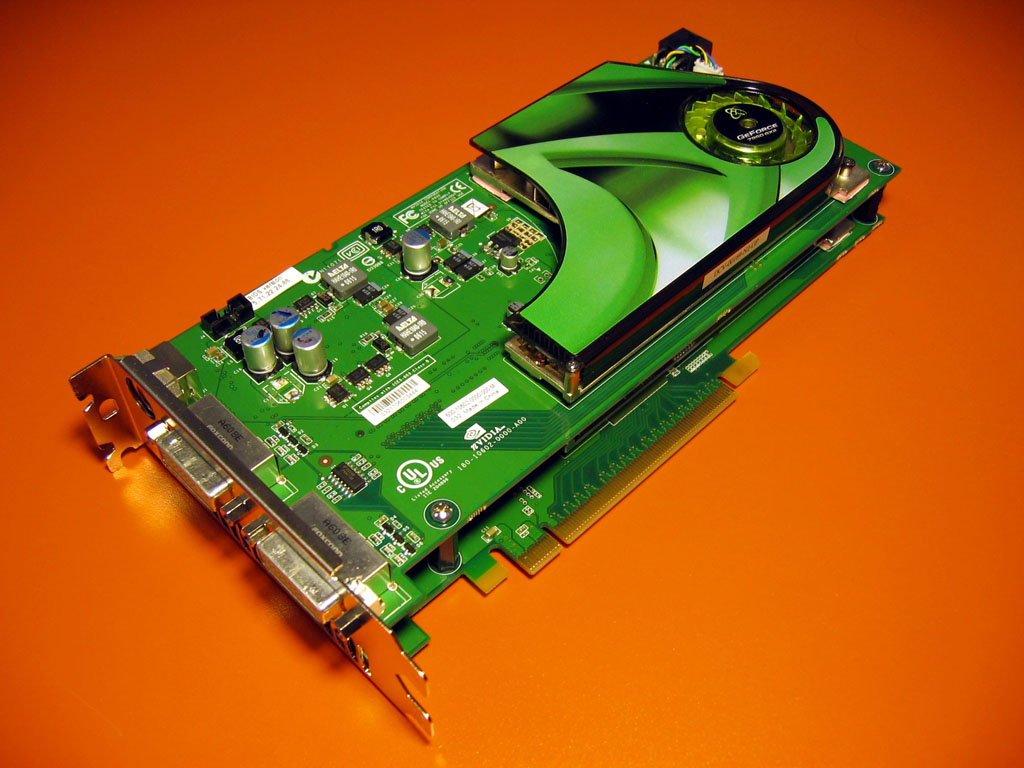
Street Price: $535 to $650
Core: 48 pixel pipes (24 per GPU), 500MHz
Memory: 1GB (512MB per GPU), 600MHz
Recommended Power Supply: 450W
The GeForce 7950 GX2 is Nvidia's current flagship card. It has two graphics-processing units and a unique double-board stack design that requires only one PCI Express slot. It's undoubtedly the fastest single card available by virtue of its dual GPUs, but it's also the most expensive.
ATI Radeon X1950 XTX
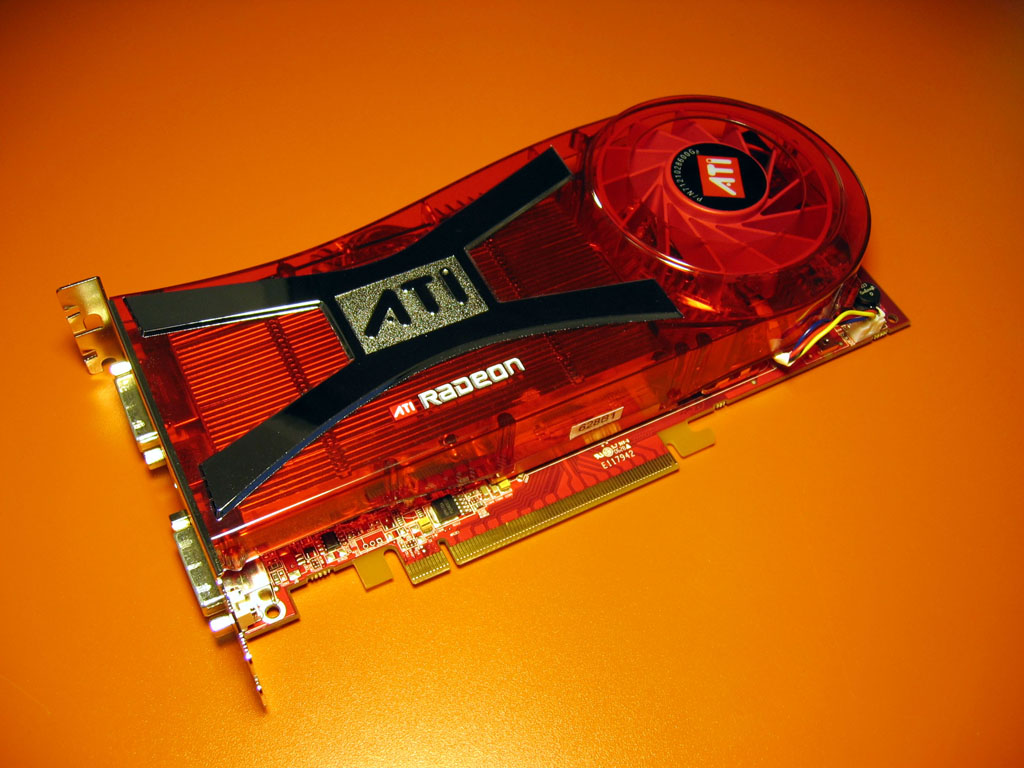
Estimated Street Price: $449
Core: 16 pixel pipelines (48 pixel shaders), 650MHz
Memory: 512MB, 1GHz
Recommended Power Supply: 450W
Set to ship September 14, the Radeon X1950 XTX replaces the Radeon X1900 XTX as ATI's top video card. The new card actually has the same core clock speed as its predecessor, but it now supports fast 1GHz GDDR4 memory, which will help feed extremely high game resolutions. The card also features a new quieter cooling unit.
Nvidia GeForce 7900 GTX
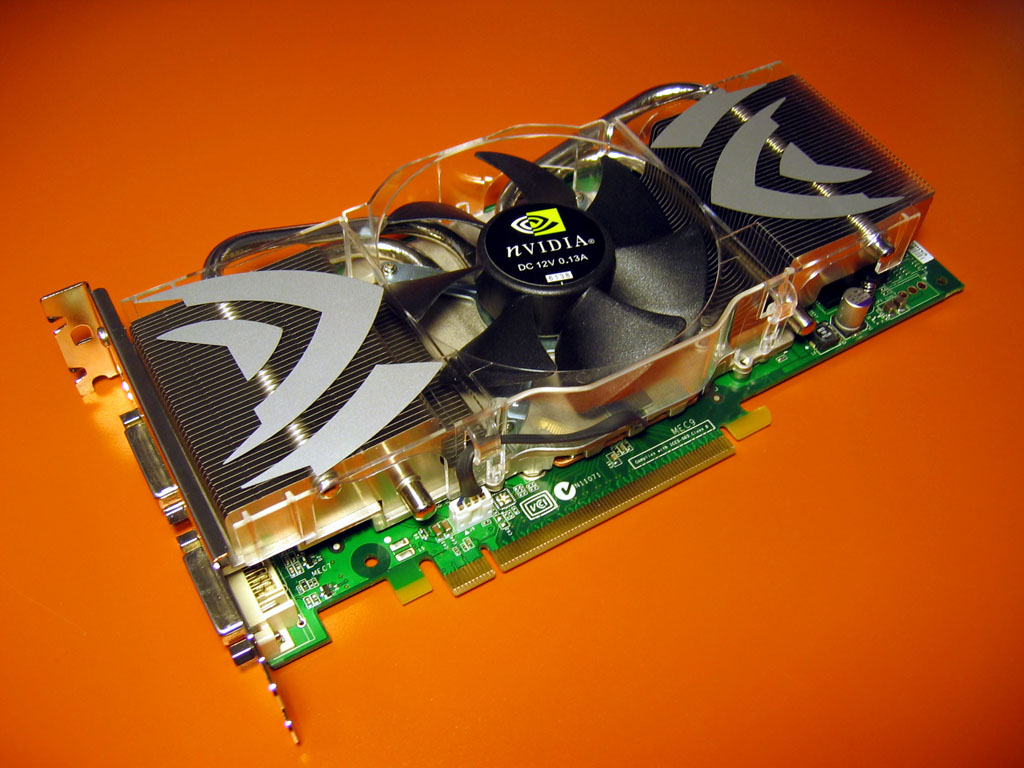
Street Price: $450 to $500
Core: 24 pixel pipelines, 700/650MHz
Memory: 512MB, 800MHz
Recommended Power Supply: 450W
The GeForce 7900 GTX is Nvidia's best single-GPU card. It's a solid performer that matches up well against ATI's Radeon X1950 XTX.
ATI Radeon X1900 XTX
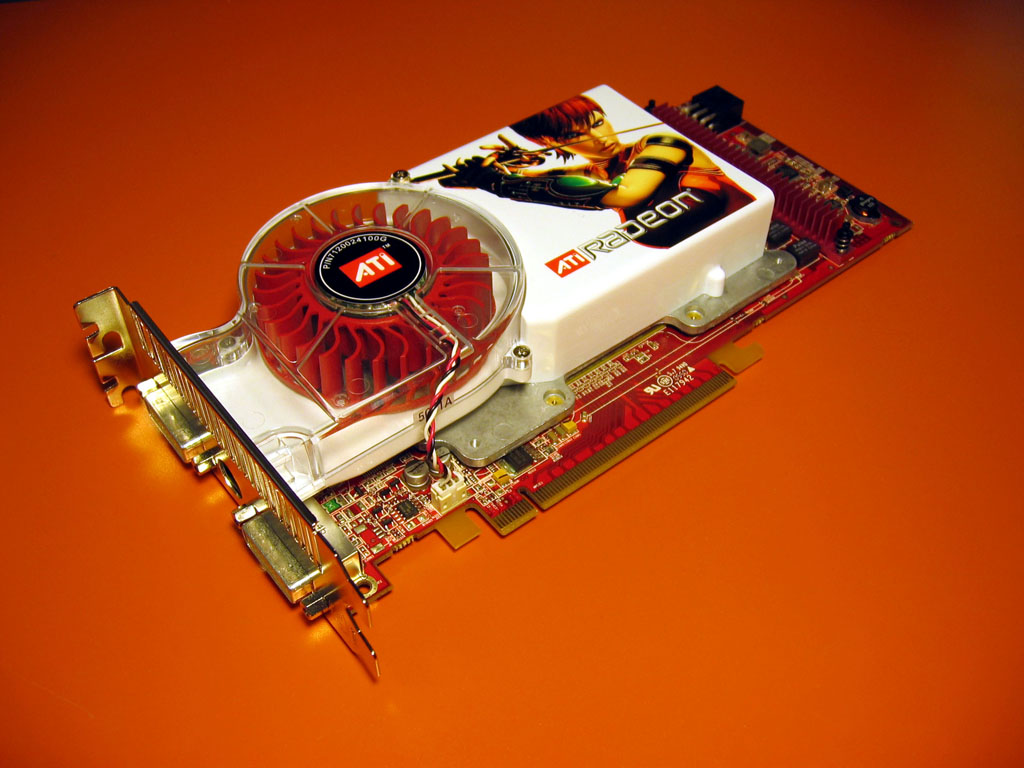
Street Price: $350 to $600
Core: 16 pixel pipelines (48 pixel shaders), 650MHz
Memory: 512MB, 775MHz
Recommended Power Supply: 450W
The Radeon X1900 XTX won't be with us much longer, with the X1950 XTX arriving soon. It's still a good performer, and you'll probably find decent pricing as retailers race to unload inventory. However, the X1900 XTX is also one of the loudest cards we've ever tested, which explains why ATI gave the X1950 a new cooler design.
Nvidia GeForce 7950 GX2 Quad-SLI
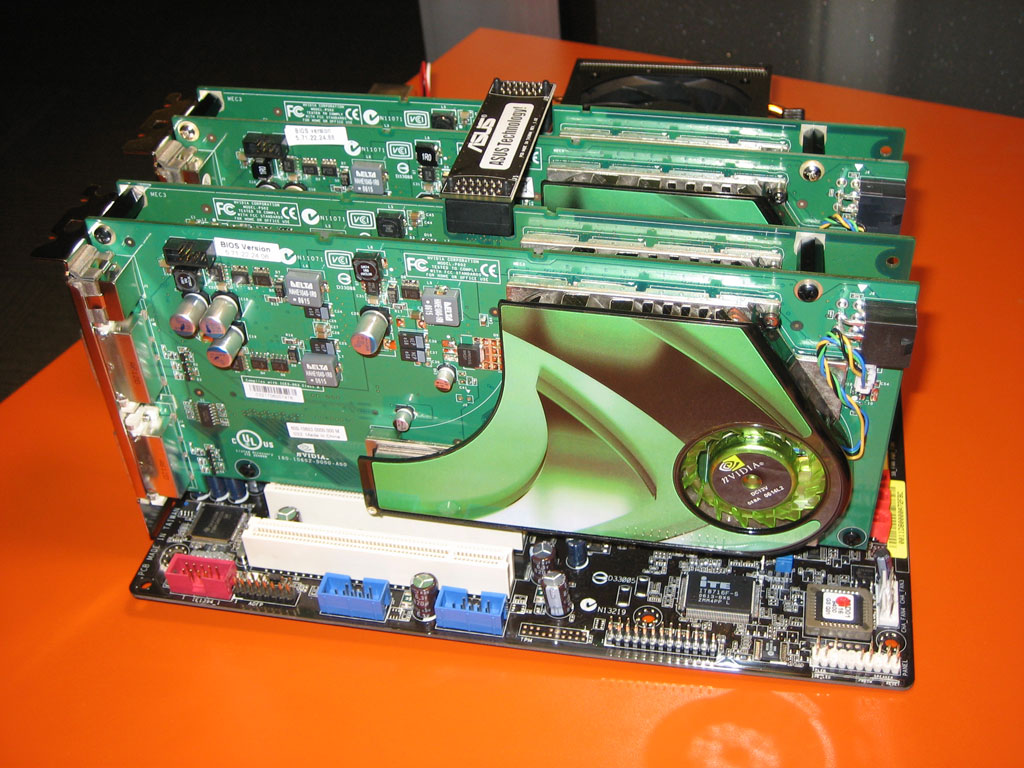
Street Price: $1,070 to $1,300
Core: 96 pixel pipes (24 per GPU), 500MHz
Memory: 2GB (512MB per GPU), 600MHz
Recommended Power Supply: See site
Four GPUs sounds like a lot of performance, but Nvidia is still working on getting the most out of its dual GeForce 7950 GX2 Quad-SLI offering. For the most part, you'll only see significant performance gains at extremely high resolutions and in OpenGL games. If you love Quake 4 and have a 30-inch widescreen monitor, Quad-SLI might be right for you.
ATI Radeon X1950 XTX CrossFire
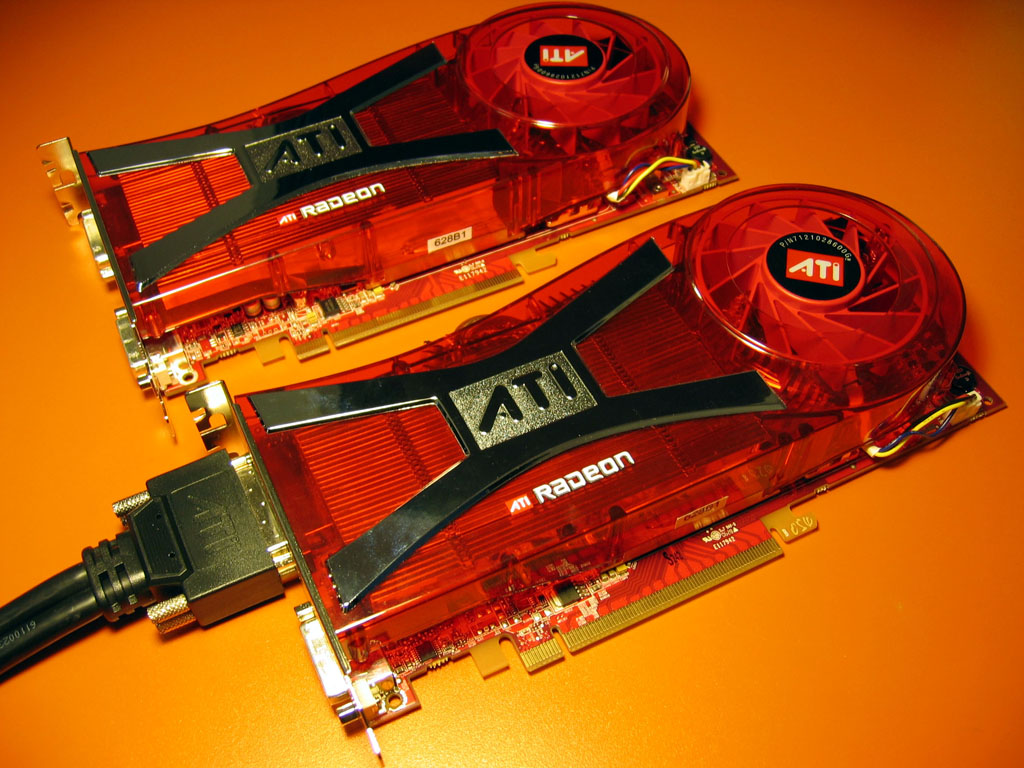
Estimated Street Price: $900
Core: 32 pixel pipelines (48 pixel shaders per GPU), 650MHz
Memory: 1GB (512MB per GPU), 1GHz
Recommended Power Supply: See site
Combine a Radeon X1950 XTX card with a Radeon X1950 XTX CrossFire Edition card to get ATI's fastest dual-card configuration. The Radeon X1950 XTX CrossFire Edition will ship at the same time as the regular version, September 14.
Nvidia GeForce 7900 GTX SLI
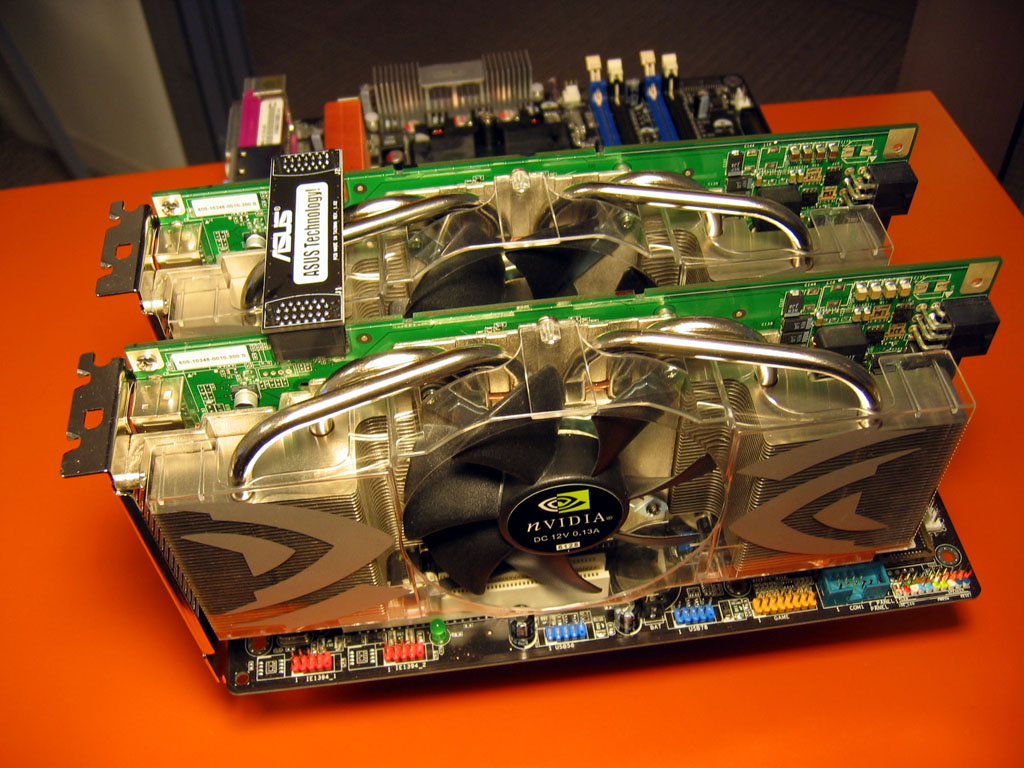
Street Price: $900 to $1,000
Core: 48 pixel pipelines (24 per GPU), 700/650MHz
Memory: 1GB (512MB per GPU), 800MHz
Recommended Power Supply: See site
The GX2 may have two GPUs on a single card, but the GeForce 7900 GTX SLI is still the fastest Nvidia dual-GPU setup around, thanks to higher graphics-core speeds. However, the GX2 is only a little slower but a lot more affordable. The GTX SLI is faster, but you'll pay a hefty premium for that extra performance.
Nvidia GeForce 7900 GT SLI
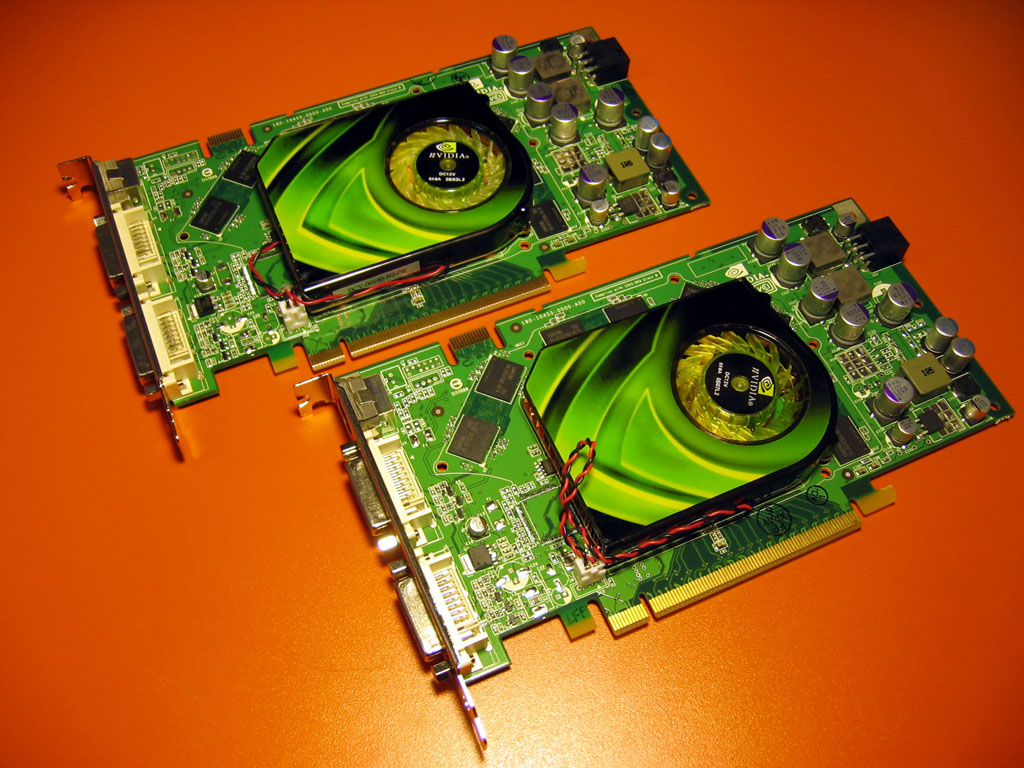
Street Price: $500 to $600
Core: 48 pixel pipelines (24 per GPU), 450MHz
Memory: 512MB (256MB per GPU), 660MHz
Recommended Power Supply: See site
Single GeForce 7900 GT cards retail for $300 or less, but you can slap two together in SLI mode to get a high-end contender. We've listed the standard core and memory speeds, but several video card manufacturers offer the GeForce 7900 GT with slightly overclocked core and memory speeds.
ATI Radeon X1950 Pro CrossFire
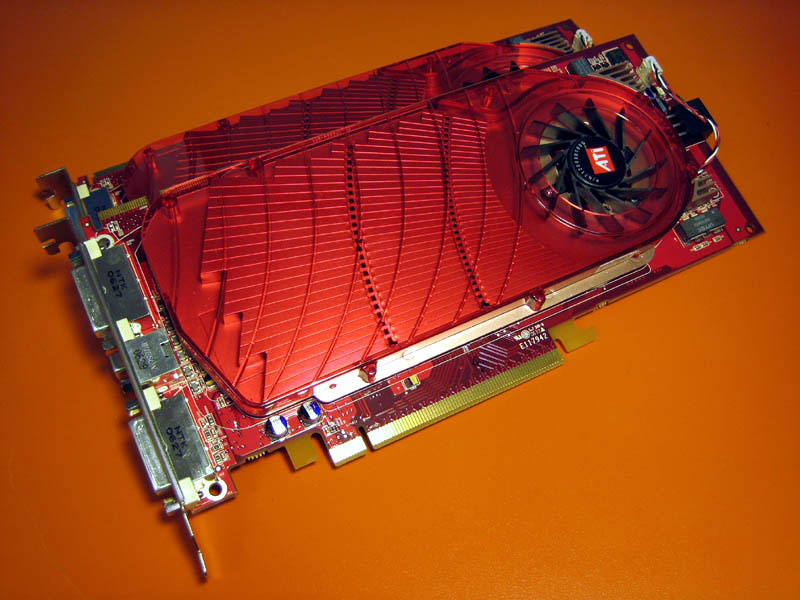
Street Price: $556-598
Core: 24 pixel pipelines (36 pixel shaders per GPU), 575MHz
Memory: 512MB, 1380MHz
Recommended Power Supply: See site
The Radeon X1950 Pro is ATI's answer to Nvidia's GeForce 7900 GS. Unlike past ATI CrossFire implementations, the Radeon X1950 Pro doesn't require a specific CrossFire master card and CrossFire-ready card pairing to run in dual-card mode. There's only one type of Radeon X1950 Pro card, and you can place two of them on a CrossFire-compatible motherboard to enable dual-card graphics. ATI has also replaced the CrossFire's unsightly card-to-card external cable connection with an elegant internal connection similar to Nvidia's internal SLI link.
What video card upgrades are you considering? Share your personal video card selection philosophy in the comments below!Quake 4
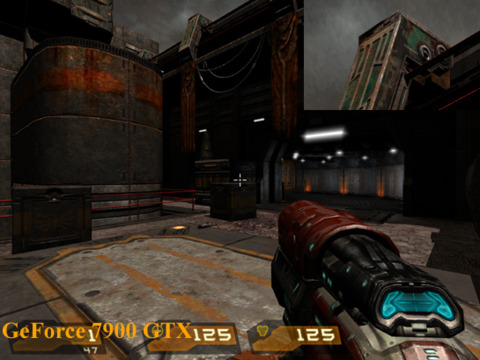
Image Quality
Nvidia and ATI's current card lines both present great image quality. We couldn't tell the difference between our Radeon and GeForce cards in Quake 4.
Performance
It looks like ATI has finally figured out how to maximize performance in Quake 4, the longtime benchmark stronghold for Nvidia-based cards. ATI's latest Catalyst video card drivers gave Radeon cards large performance increases in the id powered shooter. The quad-GPU GeForce 7950 GX2 SLI behemoth wins all of our tests, but that's what you'd expect from a $1,000 video card setup. In terms of single card performance, nothing comes close to beating the dual-GPU GeForce 7950 GX2.
System Setup: AMD Athlon 64 FX-62 CPU, Asus A8N32 SLI Deluxe, Asus A8R32-MVP Deluxe Motherboard, 1GB (512MB x 2) Corsair XMS Memory, 160GB Seagate 7200.7 SATA Hard Disk Drive, Windows XP Professional SP2. Graphics Cards: GeForce 7950 GX2 1GB , GeForce 7900 GTX 512MB, GeForce 7900 GT 256MB, Radeon X1950 XTX 512MB, Radeon X1900 XTX 512MB, Radeon X1950 Pro. Graphics Drivers: ATI Catalyst beta 8-282-060802a-035384E, ATI Catalyst 6.8, Catalyst 6.9, Nvidia ForceWare 91.31, Nvidia Forceware 91.47 for GeForce 7950 GX2 Quad SLI.
What video card upgrades are you considering? Share your personal video card selection philosophy in the comments below!Half-Life 2 Lost Coast
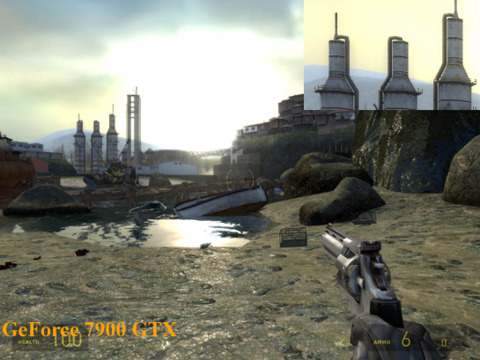
Image Quality
The Radeon and GeForce cards output very similar images in Half-Life 2 Lost Coast. It's one of the few games that current GeForce 7 series cards can render with high dynamic range lighting and antialiasing enabled at the same time.
Performance
The Half-Life 2 Source engine isn't too challenging for graphics hardware. You can get high framerates with just about any modern card while running the game without any image quality filtering, but you'll need a high-end model if you want to enable high levels of antialiasing and anisotropic filtering.
Nvidia's GeForce 7900 GTX SLI setup takes the lead once we kick the resolution up to 1920x1440 with 4xAA and 16xAF. The quad-GPU GeForce 7950 GX2 SLI setup doesn't begin to shine until we crank the resolution to 2048x1536 with 8xAA and 16xAF.
System Setup: AMD Athlon 64 FX-62 CPU, Asus A8N32 SLI Deluxe, Asus A8R32-MVP Deluxe Motherboard, 1GB (512MB x 2) Corsair XMS Memory, 160GB Seagate 7200.7 SATA Hard Disk Drive, Windows XP Professional SP2. Graphics Cards: GeForce 7950 GX2 1GB , GeForce 7900 GTX 512MB, GeForce 7900 GT 256MB, Radeon X1950 XTX 512MB, Radeon X1900 XTX 512MB, Radeon X1950 Pro 256MB. Graphics Drivers: ATI Catalyst beta 8-282-060802a-035384E, ATI Catalyst 6.8, ATI Catalyst 6.9, Nvidia ForceWare 91.31, Nvidia Forceware 91.47 for the GeForce 7950 GX2 Quad SLI.
What video card upgrades are you considering? Share your personal video card selection philosophy in the comments below!Oblivion
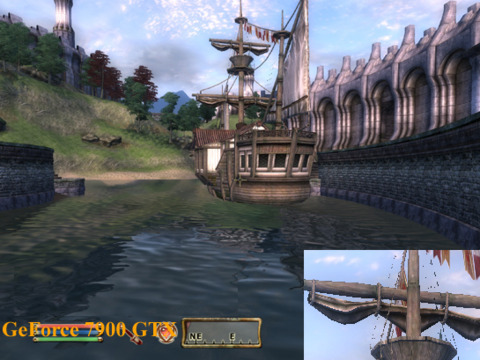
Image Quality
The high-end ATI cards are well suited for Oblivion because they're able to run the game with HDR and AA enabled whilethe Nvidia cards will only let you enable one or the other. The game will look pretty much the same on both cards if you disable antialiasing.
Performance
You can get Oblivion looking awfully pretty with the right settings, but you'll need a good video card to keep framerates playable. The Radeon X1950 CrossFire setup leads the pack, besting even the quad-GPU GeForce 7950 GX2 which actually scores lower than a single GeForce 7950 GX2.
System Setup: AMD Athlon 64 FX-62 CPU, Asus A8N32 SLI Deluxe, Asus A8R32-MVP Deluxe Motherboard, 1GB (512MB x 2) Corsair XMS Memory, 160GB Seagate 7200.7 SATA Hard Disk Drive, Windows XP Professional SP2. Graphics Cards: GeForce 7950 GX2 1GB , GeForce 7900 GTX 512MB, GeForce 7900 GT 256MB, Radeon X1950 XTX 512MB, Radeon X1900 XTX 512MB, Radeon X1950 Pro 256MB. Graphics Drivers: ATI Catalyst beta 8-282-060802a-035384E, ATI Catalyst 6.8, ATI Catalyst 6.9, Nvidia ForceWare 91.31, Nvidia Forceware 91.47 for the GeForce 7950 GX2 Quad SLI.
What video card upgrades are you considering? Share your personal video card selection philosophy in the comments below!3DMark06
Image Quality
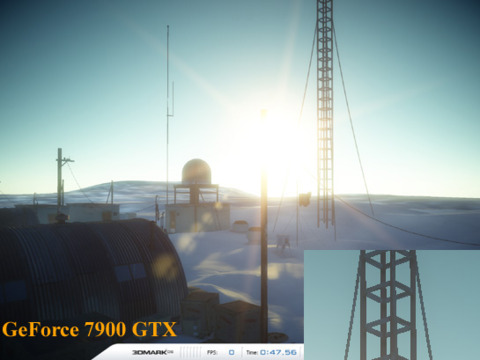
As expected, ATI's cards generate a better picture because of their ability to render both high dynamic range lighting and antialiasing at the same time. Look at the cropped image to see how important antialiasing is for image quality.
Performance
3DMark06 is a 3D benchmarking program that runs PC systems through four graphics tests and a CPU test to come up with a final numerical score. We stuck with the standard 1280x1024 3DMark06 test here since the basic score is most commonly used
Verdict:
The GeForce 7950 GX2 stands out when it comes to single card performance in the high-end arena. The dual-GPU video card sails by the competition with ease, and even challenges the more expensive SLI and CrossFire setups. Of course, it's also the most expensive single-card graphics package on the market. However, if you're looking for a more affordable, well-rounded offering, ATI's Radeon X1950 XTX offers impressive performance and superior HDR+AA image quality.
In the thousand-dollar range of CrossFire and SLI setups, the Radeon X1950 XTX CrossFire definitely edges out the now aging GeForce 7900 GTX SLI duo. Of course, Nvidia introduced the Quad-GPU GeForce 7950 GX2 SLI configuration to take over the flagship role, but while Quad-GPU GeForce 7950 GX2 SLI definitely scores a few dominating framerate wins, it doesn't offer a consistent level of performance across all games to make it the automatic top-performance choice yet.
System Setup: AMD Athlon 64 FX-62 CPU, Asus A8N32 SLI Deluxe, Asus A8R32-MVP Deluxe Motherboard, 1GB (512MB x 2) Corsair XMS Memory, 160GB Seagate 7200.7 SATA Hard Disk Drive, Windows XP Professional SP2. Graphics Cards: GeForce 7950 GX2 1GB , GeForce 7900 GTX 512MB, GeForce 7900 GT 256MB, Radeon X1950 XTX 512MB, Radeon X1900 XTX 512MB. Graphics Drivers: ATI Catalyst beta 8-282-060802a-035384E, ATI Catalyst 6.8, Nvidia ForceWare 91.31, Nvidia Forceware 91.47 for the GeForce 7950 GX2 Quad SLI.
What video card upgrades are you considering? Share your personal video card selection philosophy in the comments below!
This video card guide will show you what cards are available in your price range and how they perform in today's PC games. If you're just starting to learn about video cards, we recommend that you check out GameSpot's
We've divided the video cards by price into four categories: high-end, performance, mainstream, and budget. Our budget list includes all the current-generation video cards available for $100 or less. The mainstream group includes cards that retail for up to $200. Bump the price range up to $200-$400 to get to our performance cards. And finally, we have our extremely broad high-end category that includes everything over $400 that covers both single cards and dual-card setups. We've focused on current-generation GeForce 7 series and Radeon X1K series video cards in this roundup.
Performance Video Cards
A performance card will support high resolutions with a moderate amount of antialiasing. Think about getting one of these setups if you want fairly high frame rates at 1600x1200 with 4xAA. Two of the best cards in the $200 to $400 performance category actually sit on the affordable side of $300. You can get an Nvidia GeForce 7900 GT for around $250, and you can find its recent replacement, the GeForce 7950 GT, for just under $300. ATI introduced its 512MB Radeon X1900 XT earlier this year at just under $400 but set its new 256MB version at $250 to better compete with the GeForce 7900 GT.
ATI Radeon X1900 XT 512MB

Street Price: $300 to $400
Core: 16 pixel pipelines (48 pixel shaders), 625MHz
Memory: 512MB, 1.45GHz
Recommended Power Supply: 450W
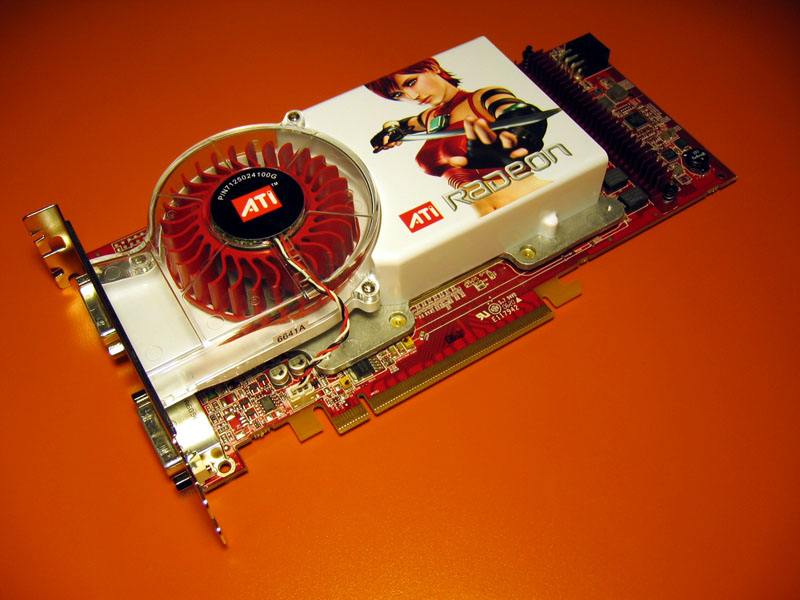
The Radeon X1900 XT 512MB is a decent card if you can find it for $300, but keep in mind that you can get almost the same performance out of the 256MB model since the cards are basically identical. The price premium is for the extra memory.
ATI Radeon X1900 XT 256MB
Street Price: $250 to $300
Core: 16 pixel pipelines (48 pixel shaders), 625MHz
Memory: 256MB, 1.44GHz
Recommended Power Supply: 450W
You might see Radeon X1900 GT cards for around the same price, but stick with the XT model. The Radeon X1900 GT only has 12 pixel pipelines (36 pixel shaders), and it packs a slower core and memory compared to the Radeon X1900 XT.
ATI Radeon X1950 Pro
Street Price: $278-299
Core: 12 pixel pipelines (36 pixel shaders), 575MHz
Memory: 256MB, 1380MHz
Memory Interface: 256-bit
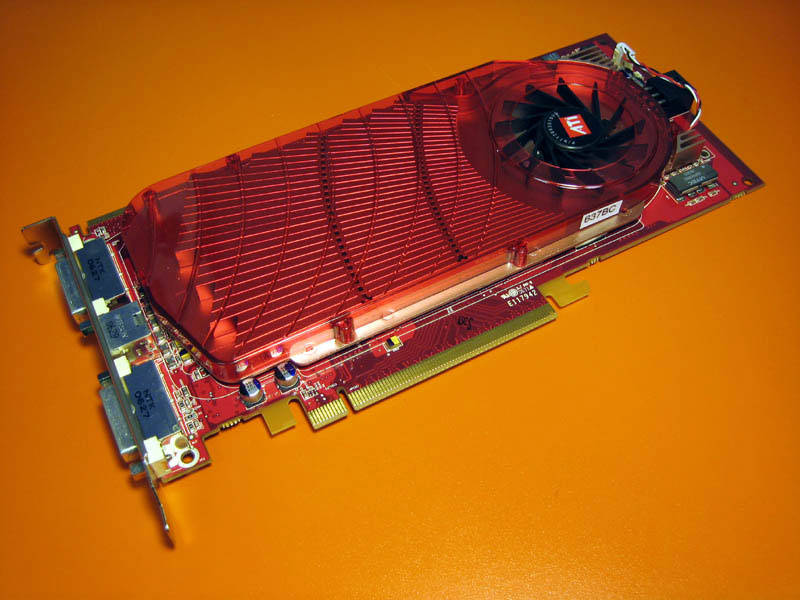
The Radeon X1950 Pro is ATI's answer to Nvidia's GeForce 7900 GS. Its 36 shader processors and 575MHz clock speed will provide plenty of graphics power. ATI wants the X1950 Pro to hit the same price point as the 7900 GS, but we might have to wait a few weeks or months for retailers to bring prices down to 7900 GS levels. It's a bad deal at $299, but it'll be a great value at $199.
Nvidia GeForce 7950 GT
Street Price:$290 to $330
Core: 24 pixel pipelines, 550MHz
Memory: 512MB, 1.4GHz
Recommended Power Supply: 400W
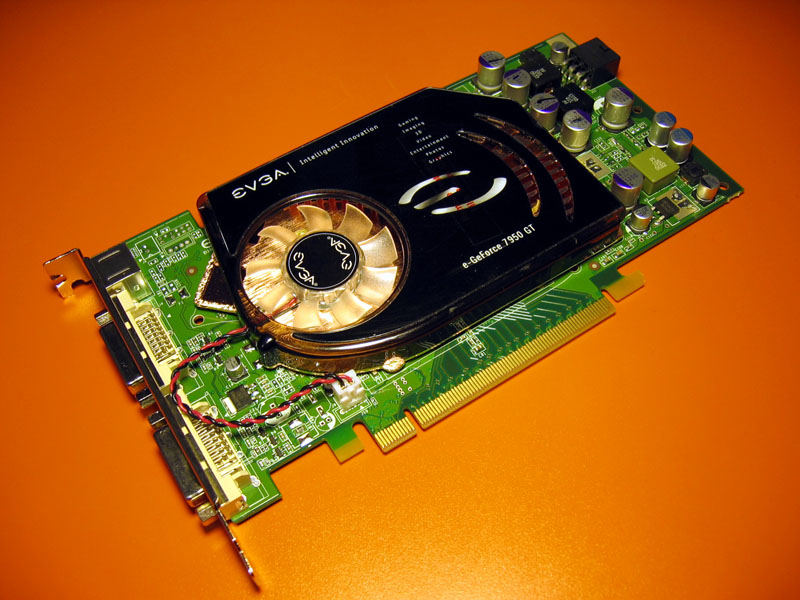
The GeForce 7950 GT has 24 pixel pipelines, which is the same as the GeForce 7900 GTX but with a slightly lower core clock speed. The GeForce 7950 GT is slightly faster and has more memory than the older 7900 GT model.
Nvidia GeForce 7900 GT
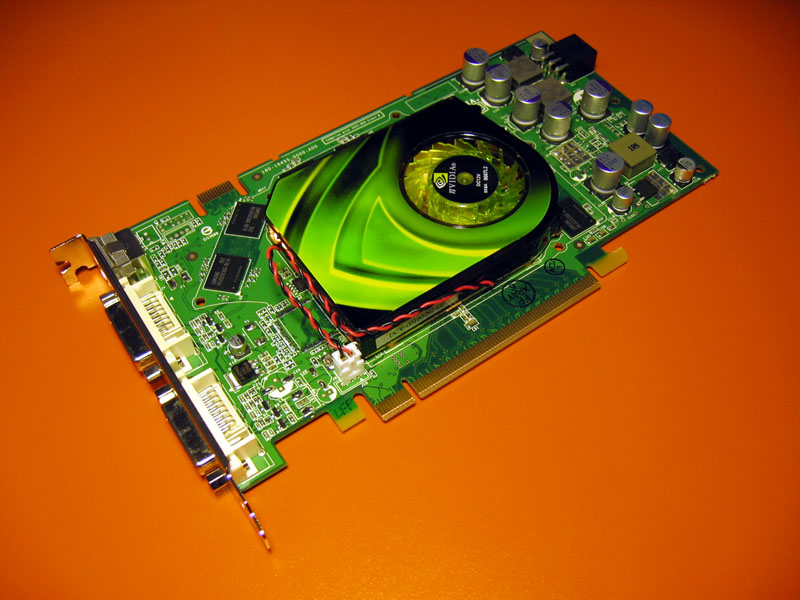
Street Price: $250 to $300
Core: 24 pixel pipelines, 450-520MHz
Memory: 256MB, 1.32-1.5GHz
Recommended Power Supply: 400W
Expect the GeForce 7900 GT to fade away as the 7950 GT takes over as Nvidia's performance GPU.
Nvidia GeForce 7900 GS SLI
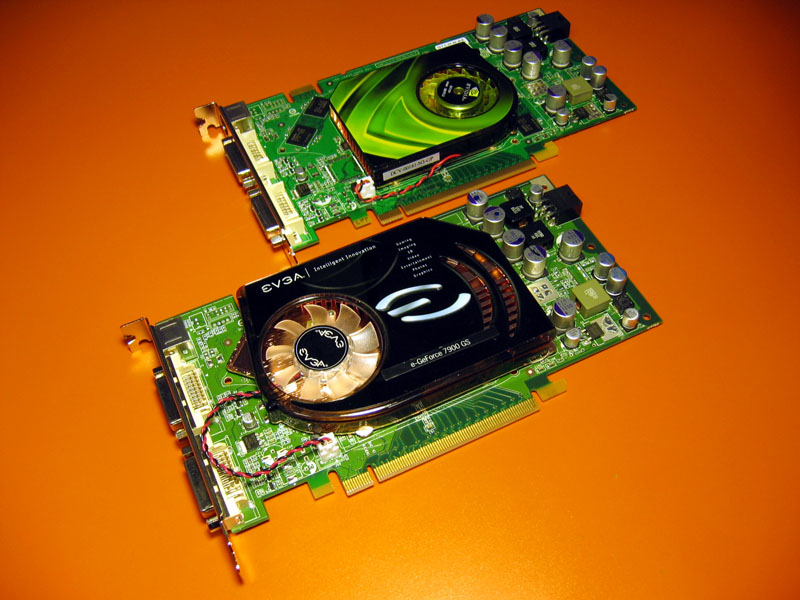
Street Price: $400 to $450
Core: 20 pixel pipelines, 450-525MHz
Memory: 512MB (256MB per card), 1.32-1.4GHz
Recommended Power Supply: See site
A dual-GeForce 7900 GS setup is a possibility if you have an SLI-compatible motherboard and a decent power supply. The configuration should compare well against single-GPU high-end cards.
Nvidia GeForce 7600 GT SLI
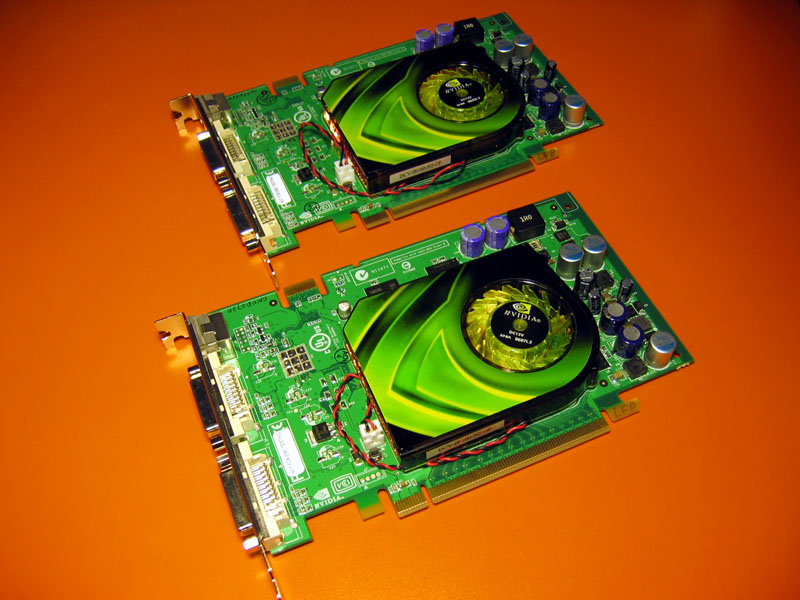
Street Price: $290 to $350
Core: 12 pixel pipelines, 560-580MHz
Memory: 512MB (256MB per card, 128-bit interface), 1.4-1.6GHz
Recommended Power Supply: See site
If you already have a single GeForce 7600 GT card and an SLI motherboard, getting a matching card will be more affordable than putting down $300 for a whole new card. Unfortunately, we were not able to get our dual-GeForce 7600 GT system running in time for publication. We will update our benchmarks with GeForce 7600 GT SLI performance results as soon as we can.
What video card upgrades are you considering? Share your personal video card selection philosophy in the comments below!Quake 4
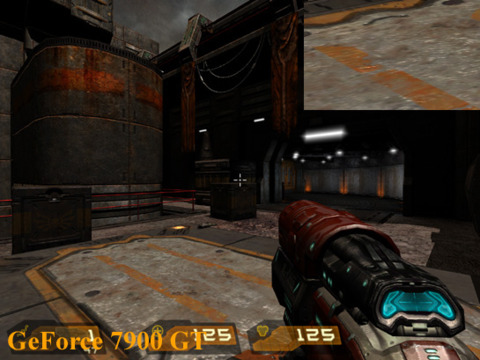
Image Quality
The GeForce 7 series and Radeon X1K cards generate nearly identical images in Quake 4.
Performance
The GeForce 7900 GS SLI setup leads the pack but also costs about $100 more than the closest single-card option. The Radeon X1900 XT 256MB provides great performance at a more affordable price.
System Setup:
AMD Athlon 64 FX-62 CPU, Asus A8N32 SLI Deluxe, Asus A8R32-MVP Deluxe Motherboard, 1GB (512MB x 2) Corsair XMS Memory, 160GB Seagate 7200.7 SATA Hard Disk Drive, Windows XP Professional SP2. Graphics Cards: GeForce 7950 GT 512MB, GeForce 7900 GT 256MB, Radeon X1900 XT 256MB, Radeon X1900 XT 512MB, Radeon X1950 Pro 256MB.
Graphics Drivers: ATI Catalyst 6.9, Nvidia ForceWare 91.47.
Half-Life 2 Lost Coast
Image Quality
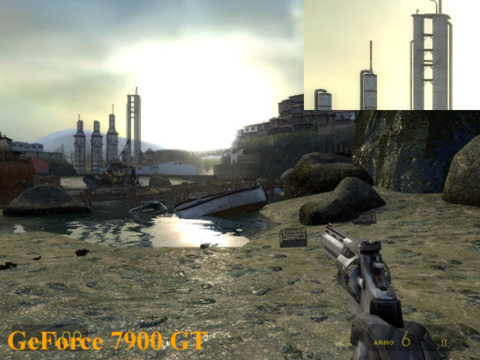
Aside for some minor lighting differences, both cards put up similar images even with antialiasing enabled.
Performance
The GeForce 7900 GS SLI and the GeForce 7950 GT set the pace in this test.
The Radeon X1950 Pro experienced a little trouble in our Half-Life 2 test, the problem will likely be remedied with a driver release.
System Setup:
AMD Athlon 64 FX-62 CPU, Asus A8N32 SLI Deluxe, Asus A8R32-MVP Deluxe Motherboard, 1GB (512MB x 2) Corsair XMS Memory, 160GB Seagate 7200.7 SATA Hard Disk Drive, Windows XP Professional SP2. Graphics Cards: GeForce 7950 GT 512MB, GeForce 7900 GT 256MB, Radeon X1900 XT 256MB, Radeon X1900 XT 512MB, Radeon X1950 Pro 256MB.
Graphics Drivers: ATI Catalyst 6.9, Nvidia ForceWare 91.47.
Oblivion
Image Quality
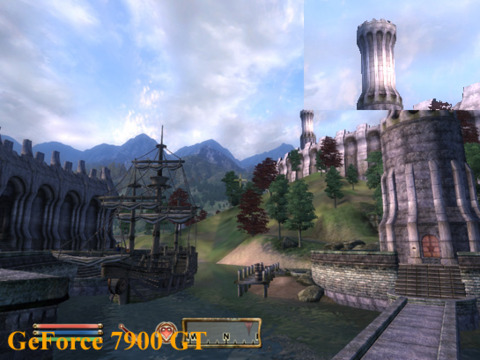
With frame rates dipping into the low 30s, we're not willing to give up any more frames to enable antialiasing in Oblivion. Check out the Oblivion image quality comparison in the high-end card section to see how the Radeon X1K series compares to the GeForce 7 series when we enable antialiasing and HDR at the same time. Note that Oblivion generates its trees randomly--on average, the Radeon cards don't grow trees any larger than the GeForce cards do.
Performance
Getting 30fps may not seem like a lot, but it takes a lot of GPU power to get Oblivion running well at 1600x1200 and 1920x1440 with decent graphical settings enabled.
System Setup:
AMD Athlon 64 FX-62 CPU, Asus A8N32 SLI Deluxe, Asus A8R32-MVP Deluxe Motherboard, 1GB (512MB x 2) Corsair XMS Memory, 160GB Seagate 7200.7 SATA Hard Disk Drive, Windows XP Professional SP2. Graphics Cards: GeForce 7950 GT 512MB, GeForce 7900 GT 256MB, Radeon X1900 XT 256MB, Radeon X1900 XT 512MB, Radeon X1950 Pro 256MB.
Graphics Drivers: ATI Catalyst 6.9, Nvidia ForceWare 91.47.
3DMark06
Image Quality
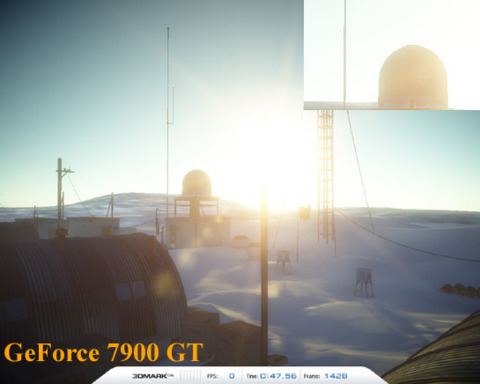
Again, we can’t tell the two card lines apart with antialiasing disabled.
Performance
3DMark06 is a 3D benchmarking program that runs PC systems through four graphics tests and a CPU test to come up with a final numerical score. We stuck with the standard 1280x1024 3DMark06 test here, since the basic score is most commonly used
Verdict:
All the cards perform well, but the Radeon X1900 XT 256MB looks to be the winner when we take pricing into consideration. It offers up nearly the same level of performance as the 512MB version but costs a lot less. The GeForce 7950 GT also puts up great numbers but doesn't consistently outperform the Radeon X1900 XT 256MB enough to justify the 20 percent price premium.
System Setup:
AMD Athlon 64 FX-62 CPU, Asus A8N32 SLI Deluxe, Asus A8R32-MVP Deluxe Motherboard, 1GB (512MB x 2) Corsair XMS Memory, 160GB Seagate 7200.7 SATA Hard Disk Drive, Windows XP Professional SP2. Graphics Cards: GeForce 7950 GT 512MB, GeForce 7900 GT 256MB, Radeon X1900 XT 256MB, Radeon X1900 XT 512MB, Radeon X1950 Pro 256MB.
Graphics Drivers: ATI Catalyst 6.9, Nvidia ForceWare 91.47.
This video card guide will show you what cards are available in your price range and how they perform in today's PC games. If you're just starting to learn about video cards, we recommend that you check out GameSpot's
We've divided the video cards by price into four categories: high-end, performance, mainstream, and budget. Our budget list includes all the current-generation video cards available for $100 or less. The mainstream group includes cards that retail for up to $200. Bump the price range up to $200-$400 to get to our performance cards. And finally, we have our extremely broad high-end category that includes everything over $400 that covers both single cards and dual-card setups. We've focused on current-generation GeForce 7 series and Radeon X1K series video cards in this roundup. We opened our multi-part series with the high-end cards. The next installment covers the budget cards.
Mainstream Cards
Consider getting a card in the sub-$200 range if you're looking for a good value or just want something to hold you over until it's time to upgrade for next year's DirectX 10 games. This category almost always has one or two cards near the top of the range, $175 to $200, that offer very good performance comparable to much more expensive cards. This price range also has a few older-generation cards, such as the Radeon X850 XT, that might not be able to support the latest graphics effects but can still put out some great frame rates.
Nvidia GeForce 7900 GS
Street Price: $199-225
Core: 20 pixel pipelines, 450-525MHz
Memory: 256MB, 1.32-1.4GHz
Memory Interface: 256-bit
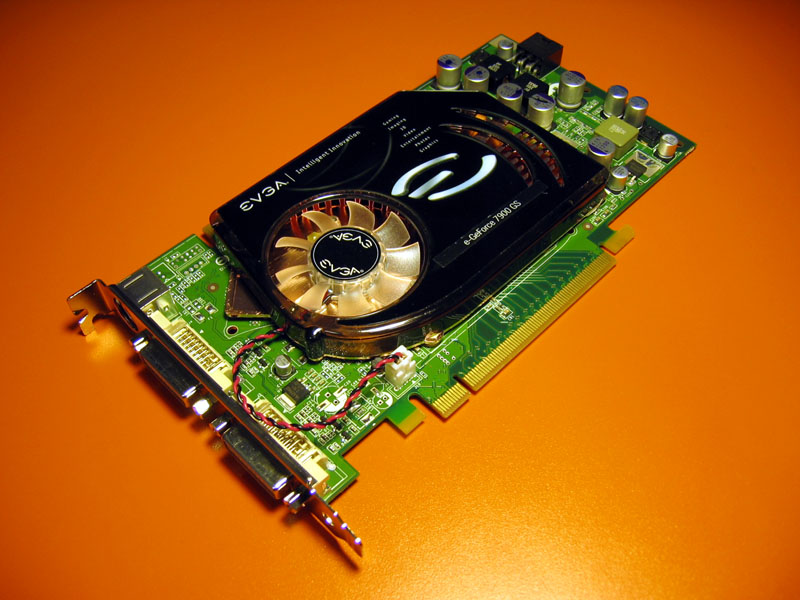
Nvidia's latest GeForce 7900 GS GPU is an absolute bargain. You'd normally expect to find a 20-pipe card with 256-bit memory in a higher price bracket. Chances are you'll also get a recent game with the pack-in bundle since the GS just started shipping. Our EVGA e-GeForce 7900 GS shipped with Hitman: Blood Money.
Nvidia GeForce 7600 GT
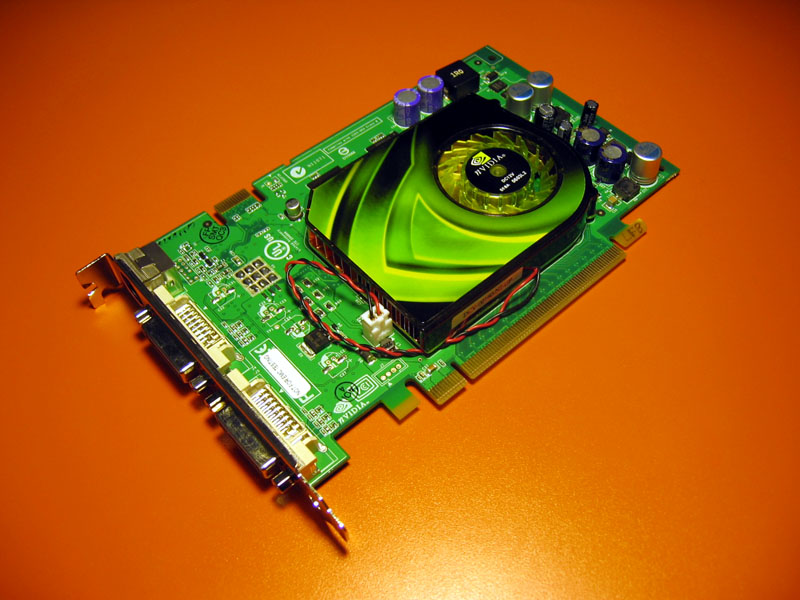
Street Price:$145-175
Core: 12 pixel pipelines, 560-580MHz
Memory: 256MB, 1.4-1.6GHz
Memory Interface: 128-bit
We get solidly into the mainstream category with the GeForce 7600 GT. The GPU is respectable with 12 pipes and a high clock speed, but the 128-bit memory might limit performance at more-challenging graphics settings.
Nvidia GeForce 7600 GS
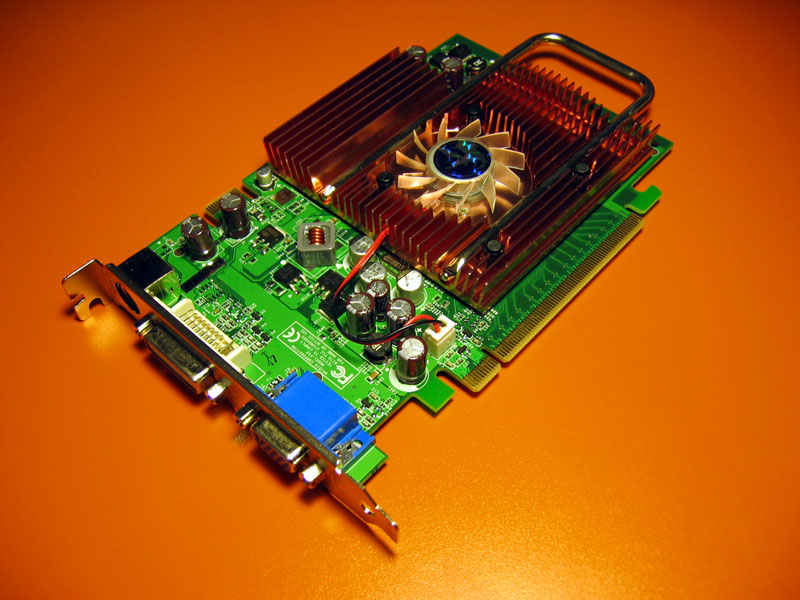
Street Price: $100-150
Core: 12 pixel pipelines, 400MHz
Memory: 256-512MB, 800MHz
Memory Interface: 128-bit
The GeForce 7600 GS is a lot like the GT--they have the same number of pixel pipelines and vertex shaders, but the GS has lower GPU and memory clocks. The GS also gets dangerously close to budget territory, so watch out for those sketchy 512MB models.
ATI Radeon X1800 GTO

Street Price: $200-250
Core: 12 pixel pipelines, 500MHz
Memory: 256-512MB, 1GHz
Memory Interface: 256-bit
The Radeon X1800 GTO is a 12-pipe version of ATI's Radeon X1800 GPU. You'll find a few available online, but supplies should be drying up as ATI is currently preparing to release a new $200 card to go up against Nvidia's GeForce 7900 GS.
ATI Radeon X1600 XT
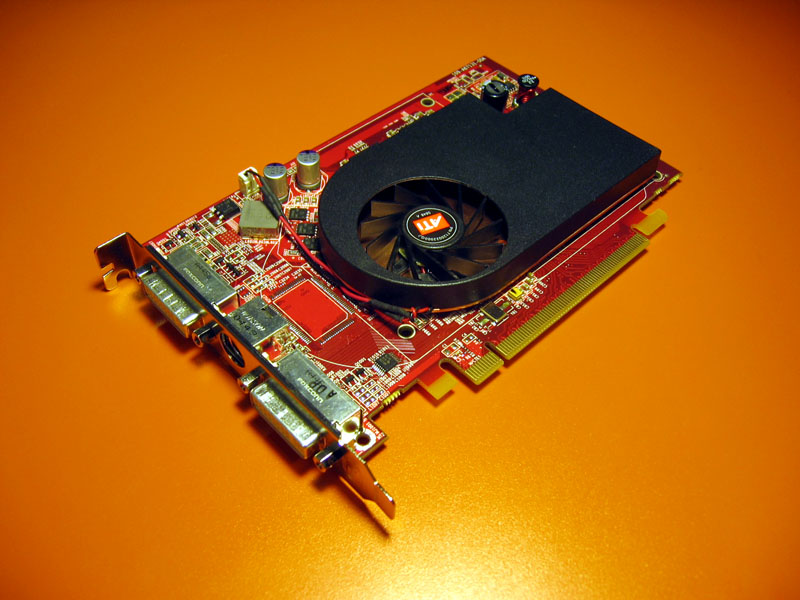
Street Price: $100-150
Core: 4 pixel pipelines (12 pixel shaders), 590-600MHz
Memory: 128-512MB, 1.4GHz
Memory Interface: 128-bit
The Radeon X1600 XT originally shipped with a $249 price tag, but ATI had to slash the price as the card's performance failed to compete with similarly priced cards. The XT fits in much better at its current price point, but it'll be replaced by the Radeon X1650 Pro as ATI's $100 mainstream option.
ATI Radeon X1600 Pro
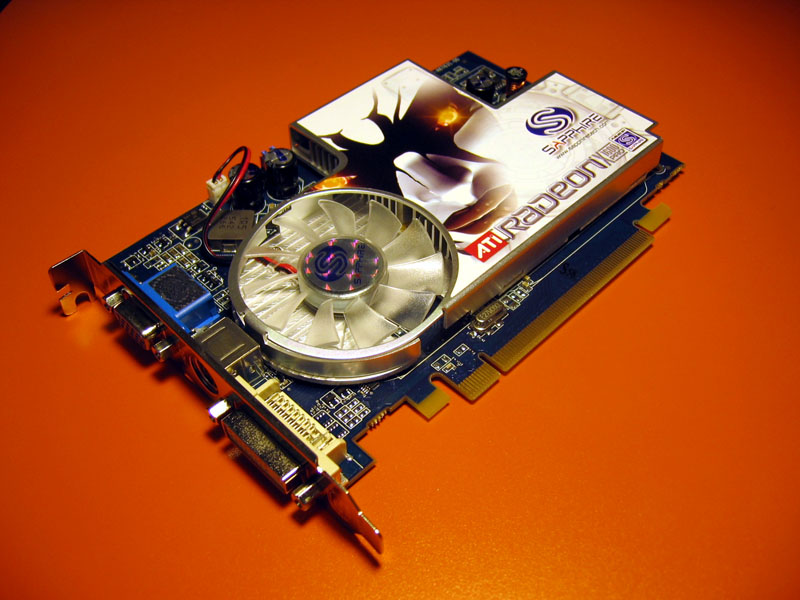
Street Price: $100-130
Core: 4 pixel pipelines (12 pixel shaders), 500MHz
Memory: 128-512MB, 780-800MHz
Memory Interface: 128-bit
The Radeon X1600 Pro is another dead card walking. It's been replaced by the Radeon X1300 XT. You're better off picking up a Radeon X1600 XT or Radeon X1650 Pro for the same price.
What video card upgrades are you considering? Share your personal video card selection philosophy in the comments below!Quake 4
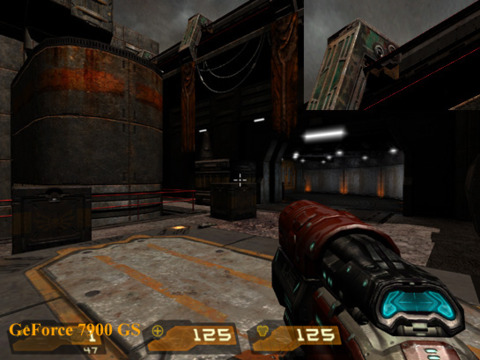
Image Quality
Both sets of cards output fantastic images, making them almost indiscernible from each other.
Performance
In the $100 to $200 range of video cards, how much you pay truly affects performance level. While many of ATI's cards sit at the lower end of the spectrum, they don't provide even half the performance of the GeForce 7900 GS. However, the Radeon X1800 GTO gives a slight performance advantage over the GeForce 7900 GS.
We dusted off ATI's older Radeon X850 XT card to see how it would compare against today's cards and it did fairly well, just five frames per second slower than the 7900 GS in both tests. However, there are drawbacks to the Radeon X850 XT, namely a lack of Shader Model 3.0 support.
System Setup:
AMD Athlon 64 FX-62 CPU, Asus A8N32 SLI Deluxe, Asus A8R32-MVP Deluxe Motherboard, 1GB (512MB x 2) Corsair XMS Memory, 160GB Seagate 7200.7 SATA Hard Disk Drive, Windows XP Professional SP2. Graphics Cards: GeForce 7900 GS, GeForce 7600 GT, GeForce 7600 GS, Radeon X1800 GTO, Radeon X1600 XT, Radeon X1650 Pro, Radeon X1600 Pro. Graphics Drivers: ATI Catalyst 6.8, Nvidia ForceWare 91.47.
Half-Life 2 Lost Coast
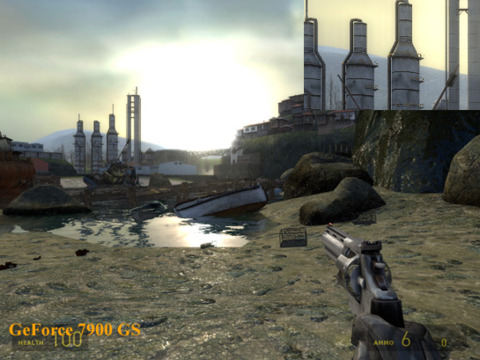
Image Quality
Once again, we're presented with images that don't differ much in quality. Aside from lighting differences, we couldn't tell the GeForce 7 series or Radeon X1K cards apart.
Performance
The GeForce 7900 GS is the clear winner in Half-Life 2, but the Radeon X1800 GTO isn't far behind.
System Setup:
AMD Athlon 64 FX-62 CPU, Asus A8N32 SLI Deluxe, Asus A8R32-MVP Deluxe Motherboard, 1GB (512MB x 2) Corsair XMS Memory, 160GB Seagate 7200.7 SATA Hard Disk Drive, Windows XP Professional SP2. Graphics Cards: GeForce 7900 GS, GeForce 7600 GT, GeForce 7600 GS, Radeon X1800 GTO, Radeon X1600 XT, Radeon X1650 Pro, Radeon X1600 Pro. Graphics Drivers: ATI Catalyst 6.8, Nvidia ForceWare 91.47.
Oblivion
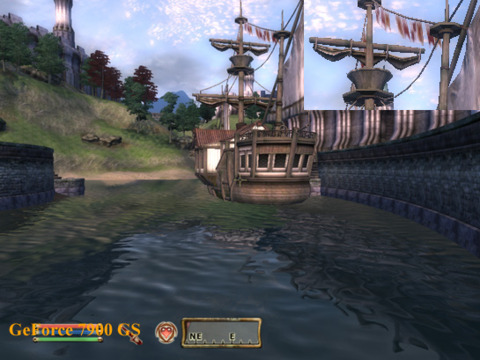
Image Quality
The Radeon X1K's much-touted HDR and AA combination doesn't come into play much at the mainstream level since we often need to disable antialiasing just to keep frame rates playable in Oblivion. Minus the antialiasing advantage, the images look nearly identical.
Performance
The Radeon X1800 GTO and the GeForce 7900 GS duke it out over first place with no definite winner. It isn't too difficult to see how the rest of the cards play out.
System Setup:
AMD Athlon 64 FX-62 CPU, Asus A8N32 SLI Deluxe, Asus A8R32-MVP Deluxe Motherboard, 1GB (512MB x 2) Corsair XMS Memory, 160GB Seagate 7200.7 SATA Hard Disk Drive, Windows XP Professional SP2. Graphics Cards: GeForce 7900 GS, GeForce 7600 GT, GeForce 7600 GS, Radeon X1800 GTO, Radeon X1600 XT, Radeon X1650 Pro, Radeon X1600 Pro. Graphics Drivers: ATI Catalyst 6.8, Nvidia ForceWare 91.47.
3DMark06
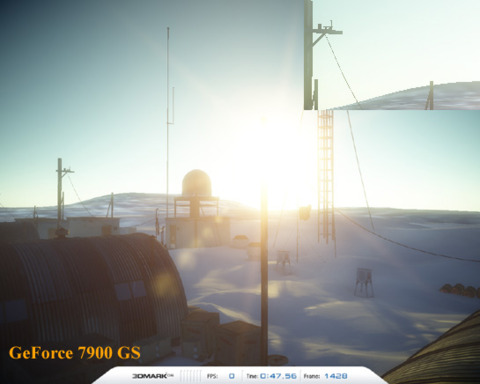
Image Quality
The same as with Oblivion, ATI's antialiasing advantage with HDR doesn't come into play since we'll always sacrifice image quality to get playable frame rates. Both sets of cards present almost the same, jaggy images.
Performance
3DMark06 is a 3D benchmarking program that runs PC systems through four graphics tests and a CPU test to come up with a final numerical score. We stuck with the standard 1280x1024 3DMark06 test here, since the basic score is most commonly used
System Setup:
System Setup: AMD Athlon 64 FX-62 CPU, Asus A8N32 SLI Deluxe, Asus A8R32-MVP Deluxe Motherboard, 1GB (512MB x 2) Corsair XMS Memory, 160GB Seagate 7200.7 SATA Hard Disk Drive, Windows XP Professional SP2. Graphics Cards: GeForce 7900 GS, GeForce 7600 GT, GeForce 7600 GS, Radeon X1800 GTO, Radeon X1600 XT, Radeon X1600 Pro. Graphics Drivers: ATI Catalyst 6.8, Nvidia ForceWare 91.47.
Verdict:
The Radeon X1800 GTO and the GeForce 7900 GS trade wins a few times at the upper end of the mainstream cards, but we're going to have to side with the GeForce 7900 GS because of its lower average cost and consistently better performance. At $200, the GeForce 7900 GS is the perfect card to keep you occupied until it's time to upgrade to a DX10 card for the holiday 2007 game releases. However, keep an eye out for the Radeon X1900 GT and Radeon X1900 XT 256MB. Prices for both cards are closing in on the 7900 GS.
This video card guide will show you what cards are available in your price range and how they perform in today's PC games. If you're just starting to learn about video cards, we recommend that you check out GameSpot's
We've divided the video cards by price into four categories: high-end, performance, mainstream, and budget. Our budget list includes all the current-generation video cards available for $100 or less. The mainstream group includes cards that retail for up to $200. Bump the price range up to $200-$400 to get to our performance cards. And finally, we have our extremely broad high-end category that includes everything over $400 that covers both single cards and dual-card setups. We've focused on current-generation GeForce 7 series and Radeon X1K series video cards in this roundup. We opened our multi-part series with the high-end cards. Our next installment covers the budget cards.
Budget Video Cards
You can find a few decent cards in the budget section, but do your research because there are many horrible cards in this price range. The budget aisle is filled with inexperienced buyers who don't know a lot about video cards but are absolutely sure they don't want to spend more than $100 on one. Since that describes a large portion of the PC-buying public, the sub-$100 section can be a scary place to shop. Manufacturers have filled it with a disgusting number of cheap video cards highlighting all sorts of useless features, in the hope that one of them will spark some kind of unfortunate "Wow, I've heard of 64-bit, so this card must be good!" buyer recognition.
You'll need to navigate through the memory minefield to find a passable card. Getting a card with a decent amount of memory, around 128MB, is important, but also be sure to check the memory interface specification to make sure you're getting the best memory bandwidth possible. Most high-end consumer video cards ship with 256-bit memory, but budget cards often ship with 128-bit or 64-bit memory, which can bottleneck game frame rates with insufficient memory bandwidth. If a card model ships with 128-bit or 64-bit memory bus options, go with the 128-bit interface.
Sub-$100 video cards that can play the latest games do exist. Whenever Nvidia or ATI release a new line of GPUs, they offer versions for the high-end, performance, mainstream, and budget buyer. This "top to bottom" strategy ensures that all customers will get the same basic feature set, such as H.264 high-definition video or DirectX 9 Shader Model 3.0 support. Chips in the same product line will share a common feature set, but manufacturers can vary GPU prices by producing models that offer different levels of performance. A high-end model might have the full chip running at the fastest possible speed, while the budget model might be a smaller chip running at half the speed.
When you're buying a budget card, the best you can hope for is a card that supports the latest graphics features and offers passable frame rates at a reasonable resolution, such as 1024x768 or 1280x1024. You will likely need to move up to a more expensive price range if you also want high frame rates or antialiasing.
Nvidia GeForce 7300 GT
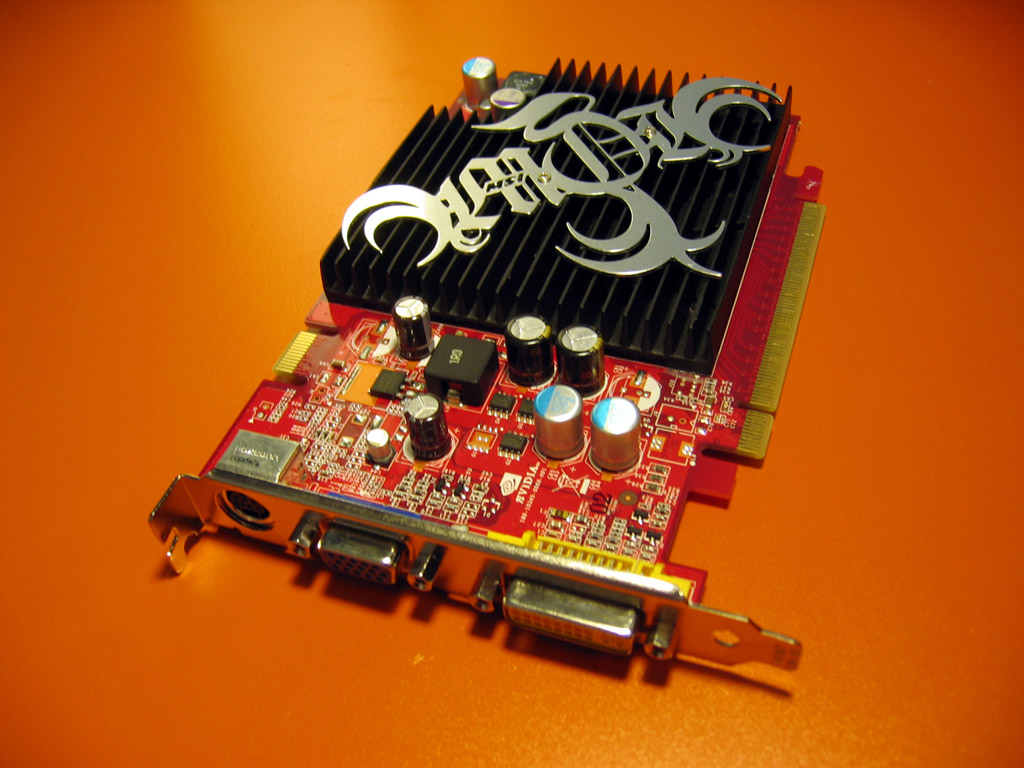
Street Price: $70-85
Core: 8 pixel pipelines, 350-400MHz
Memory: 128-512MB, 530-800MHz
Memory Interface: 64-bit, 128-bit
You would have had to pay $400 for an eight-pixel-pipeline, 350MHz video card just three years ago, but now you can get one for under $100 in the 7300 GT. Make sure to get the 128-bit-memory version. Also pay attention to core and memory speeds since they can vary widely.
Nvidia GeForce 7300 GS
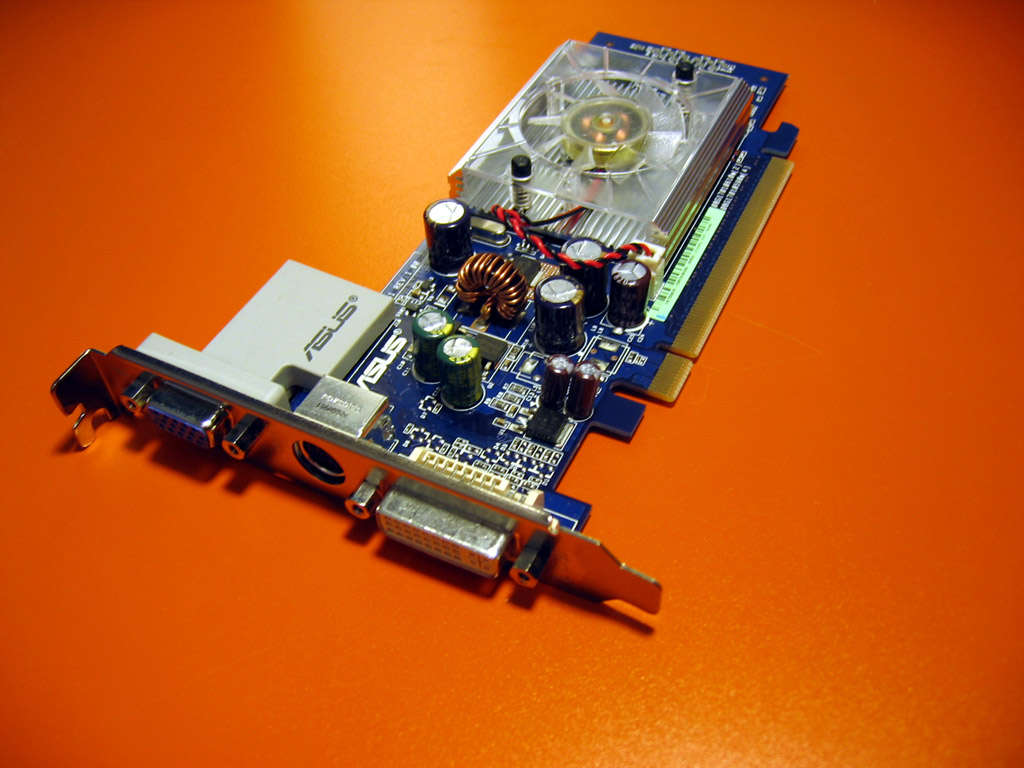
Estimated Street Price: $50-70
Core: 4 pixel pipelines, 550-575MHz
Memory: 128-256MB, 540-810MHz
Memory Interface: 64-bit
The GeForce 7300 GS has a speedy core; however, that core only has four pixel pipelines. It's marginally faster than the GeForce 7300 LE, but when you're down this low, it doesn't mean too much.
Nvidia GeForce 7300 LE
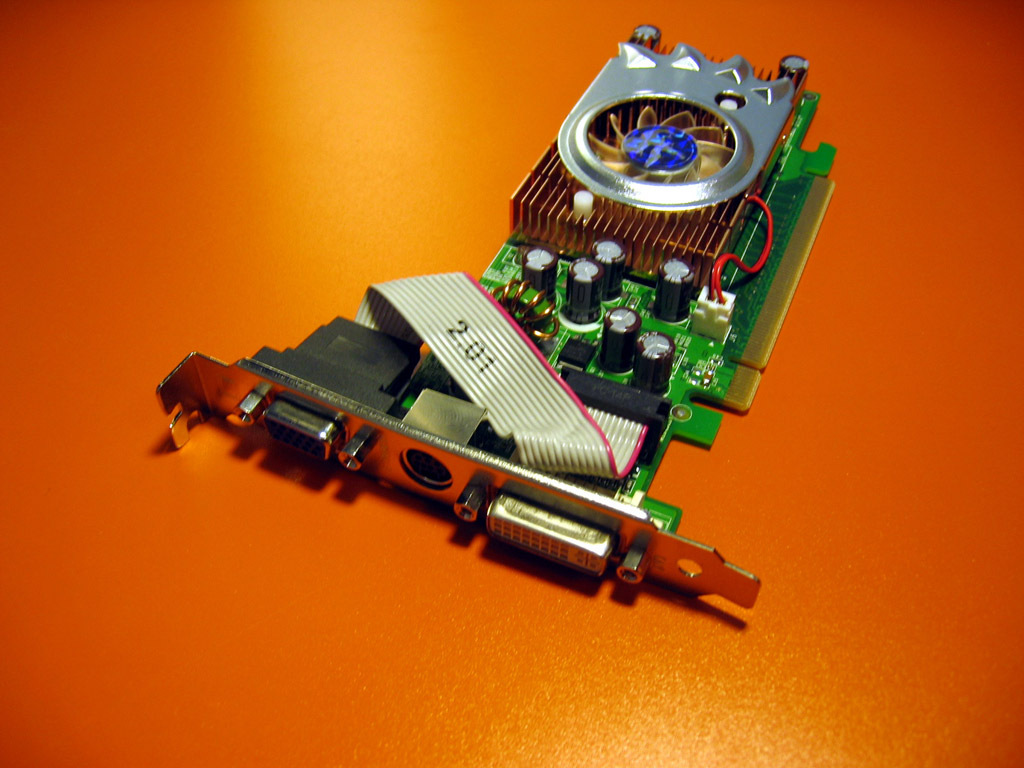
Street Price: $45-$60
Core: 4 pixel pipelines, 450
Memory: 128-256MB w/TurboCache, 333-650MHz
Memory Interface: 64-bit
You'll find the LE as the default graphics option in many desktop system configurations. Do yourself a favor and pay to upgrade to a better card. A discrete card with four pipes and a 64-bit memory interface is better than integrated graphics, but not by much.
ATI Radeon X1650 Pro
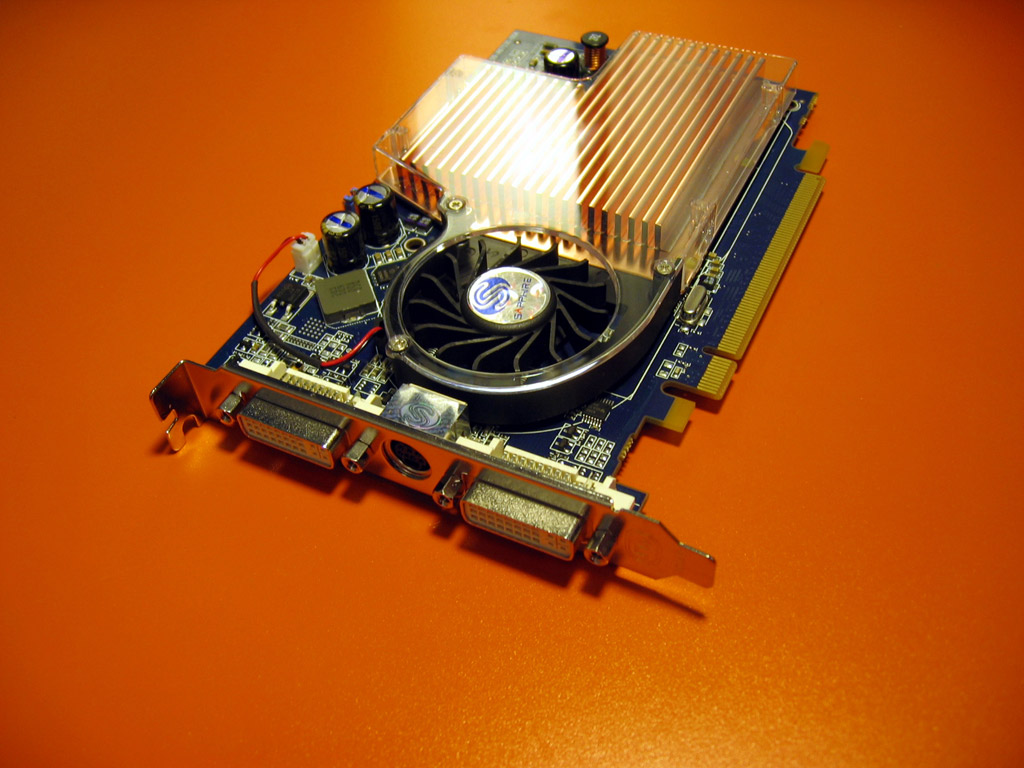
Street Price: $130-$185
Core: 12 pixel shaders (4 pixel pipelines), 600MHz
Memory: 256-512MB, 700MHz
Memory Interface: 128-bit
Starting September 14, ATI will replace its Radeon X1600 XT part with the new Radeon X1650 Pro. The original X1600 XT card shipped for just over $150, and while the Radeon X1650 Pro has an MSRP of $99, street prices have hovered between $130 and $160, pushing it out of the budget category.
ATI Radeon X1300 XT
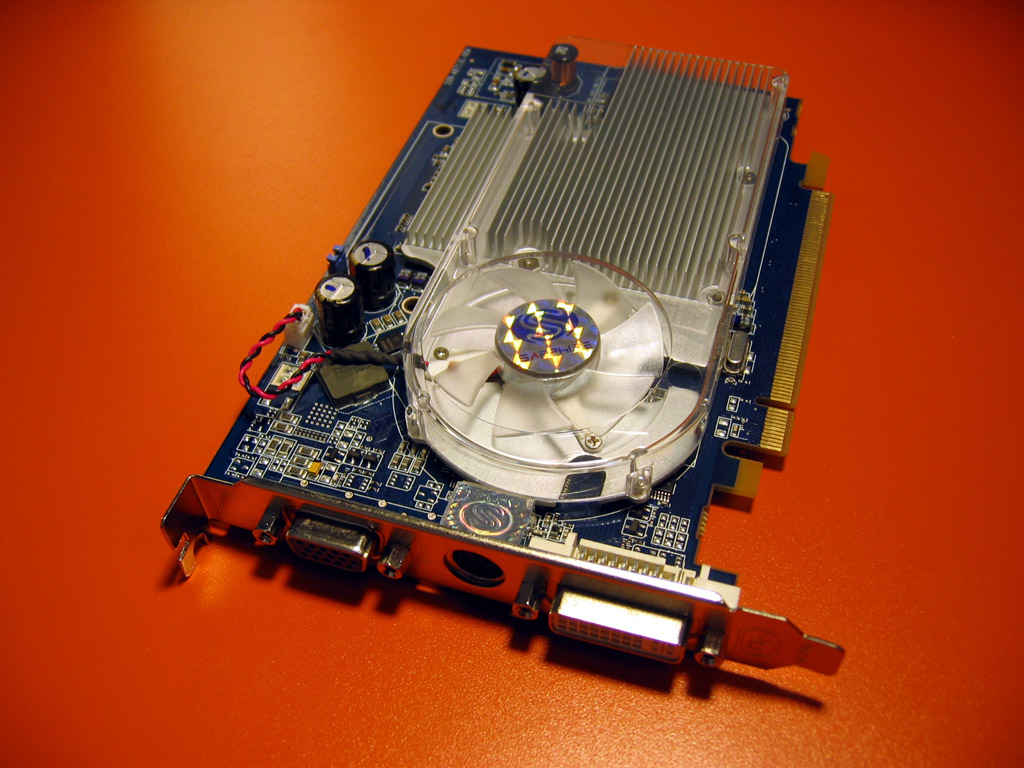
Estimated Street Price: $89
Core: 12 pixel shaders (4 pixel pipelines), 500MHz
Memory: 128-bit
Memory Interface: 128-bit
The Radeon X1300 XT looks more like an X1650 than an X1300 with its 12 pixel shaders, and the XT's performance should be very similar to its more expensive sibling.
ATI Radeon X1300 Pro
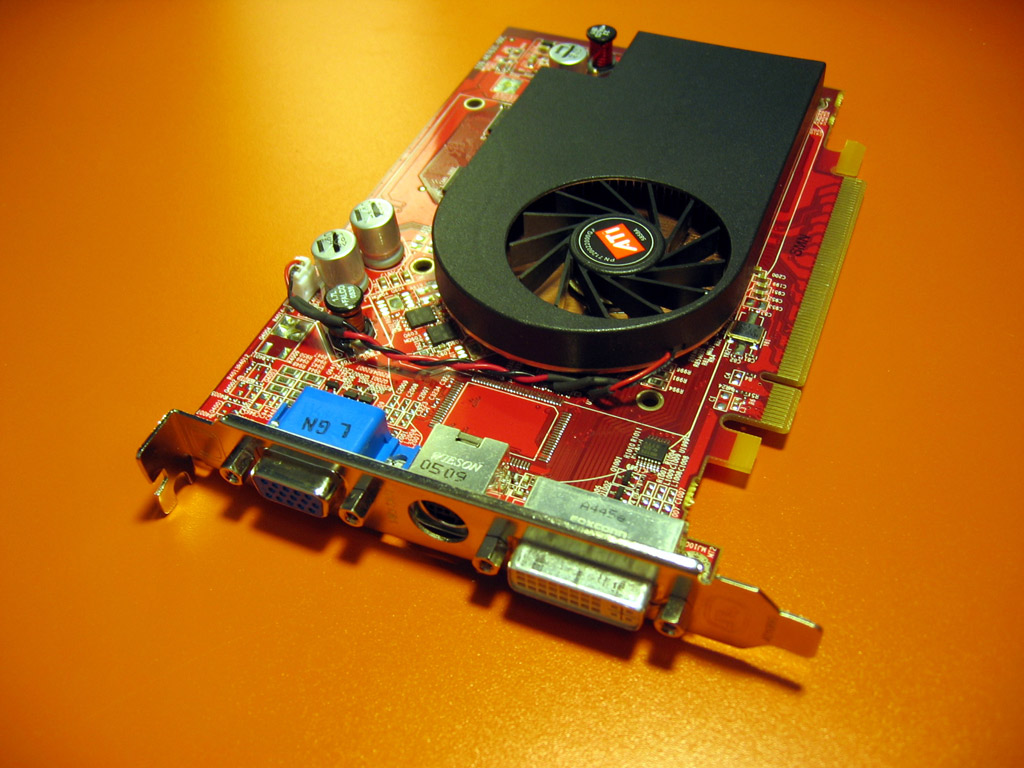
Street Price: $95-130
Core: 4 pixel shaders, 600MHz
Memory: 256MB, 400MHz
Memory Interface:128-bit
With only four pixel shaders, the Radeon X1300 Pro will struggle to keep up with the Radeon X1650 Pro and the GeForce 7300 GT. Current prices are hovering in the $95 to $130 range, but ATI has told GameSpot that the street price should drop down to $80 shortly.
ATI Radeon X1300
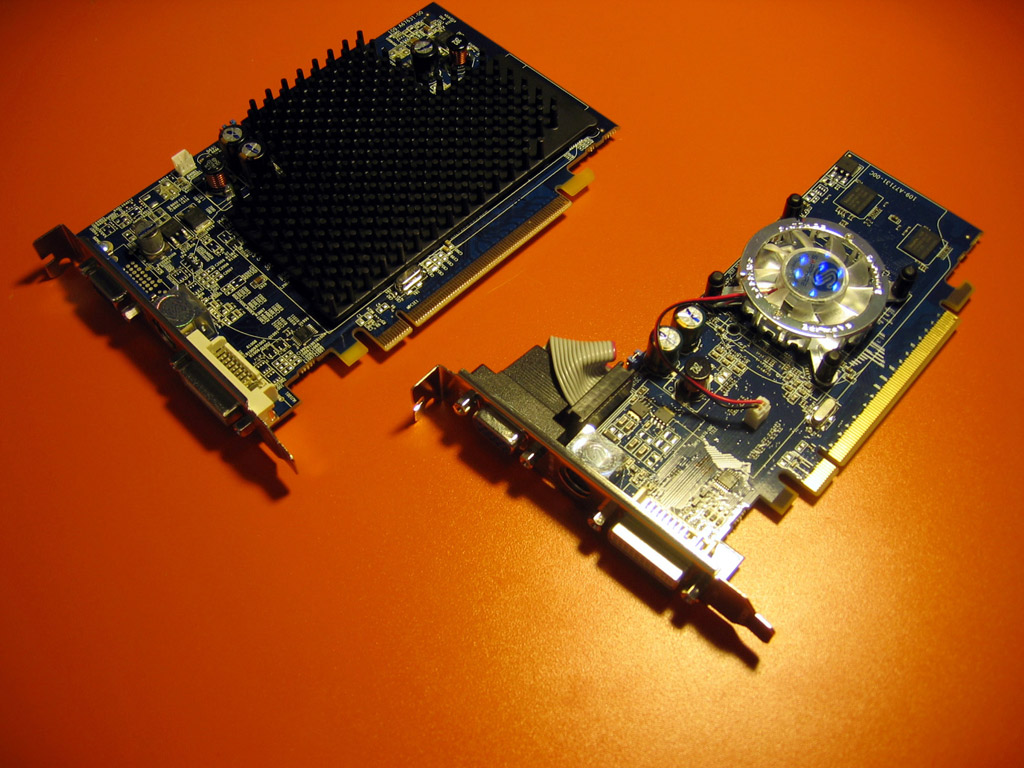
Street Price: $52-100
Core: 4 pixel shaders, 450-600MHz
Memory: 128-512MB, 500-700MHz
Memory Interface: 64-bit, 128-bit
The Radeon X1300 is the base model for a lot of very inexpensive budget cards. Manufacturers offer variations with a number of different core and memory clock speeds as well as versions with 64-bit and 128-bit memory. Stay clear of the 64-bit versions for sure, but with only four pixel shaders total, we should probably stay away from the 128-bit versions, too.
What video card upgrades are you considering? Share your personal video card selection philosophy in the comments below!Quake 4
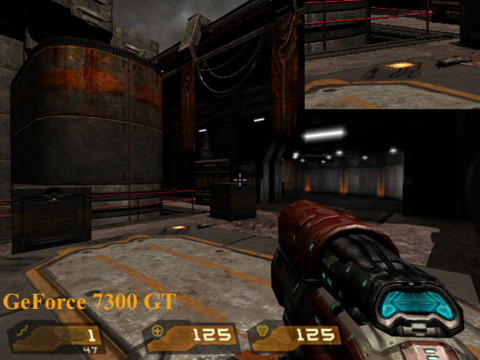
Image Quality
ATI's cards can render Shader Model 3.0 high dynamic range and antialiasing at the same time. However, once we get down to the budget range, the feature isn't as important because cards in the sub-$100 range simply don't have the horsepower to crank out both HDR and antialiasing at the same time. As a result, both Nvidia and ATI render fairly similar images.
Performance
ATI's Radeon X1650 Pro kicks out some serious frames--well, as serious as they get in the sub-$100 range. It bests Nvidia's cards by a wide margin, and it leaves its X1300 XT sibling in the dust.
[Update - September 27th, 2006]
We've disqualified the Radeon X1650 Pro from our budget category because it's promised $99 MSRP has failed to materialize; most retailers currently offer the card for $130-180. As such, the Radeon X1300 XT becomes the new budget cost-performance champ.
System Setup: AMD Athlon 64 FX-62 CPU, Asus A8N32 SLI Deluxe, Asus A8R32-MVP Deluxe Motherboard, 1GB (512MB x 2) Corsair XMS Memory, 160GB Seagate 7200.7 SATA Hard Disk Drive, Windows XP Professional SP2.
Graphics Cards: GeForce 7300 GT, GeForce 7300 GS, GeForce 7300 LE, Radeon X1650 Pro, Radeon X1300 XT, Radeon X1300 Pro, Radeon X1300 256MB, Radeon X1300 128MB.
Graphics Drivers: ATI Catalyst 6.8, Nvidia ForceWare 91.31.
Half-Life 2 Lost Coast
Image Quality
Nothing too surprising here, the images look the same for the most part aside from some lighting differences.
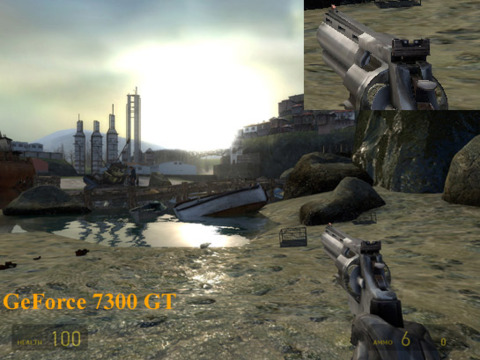
Performance
In what looks to be the start of a trend, the Radeon X1650 Pro dominates the rest of the budget challengers. The only card that manages to get near it is the Radeon X1300 XT.
[Update - September 27th, 2006]
We've disqualified the Radeon X1650 Pro from our budget category because it's promised $99 MSRP has failed to materialize; most retailers currently offer the card for $130-180. As such, the Radeon X1300 XT becomes the new budget cost-performance champ.
System Setup: AMD Athlon 64 FX-62 CPU, Asus A8N32 SLI Deluxe, Asus A8R32-MVP Deluxe Motherboard, 1GB (512MB x 2) Corsair XMS Memory, 160GB Seagate 7200.7 SATA Hard Disk Drive, Windows XP Professional SP2.
Graphics Cards: GeForce 7300 GT, GeForce 7300 GS, GeForce 7300 LE, Radeon X1650 Pro, Radeon X1300 XT, Radeon X1300 Pro, Radeon X1300 256MB, Radeon X1300 128MB.
Graphics Drivers: ATI Catalyst 6.8, Nvidia ForceWare 91.31.
Oblivion
Image Quality
The reflections and the lighting differ on the two pictures, but we can't pick out any significant quality difference between the two cards.
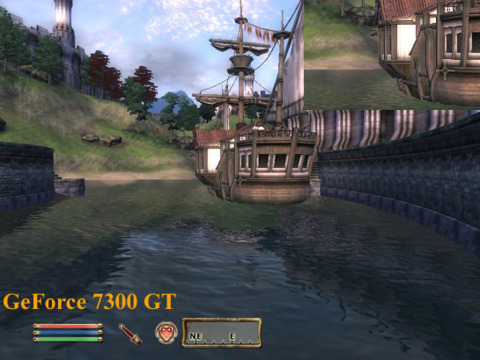
Performance
Oblivion is barely playable on most of these budget video cards. The Radeon X1650 Pro walks away the winner by a large margin, but 25 frames per second isn't exactly blazing speed.
[Update - September 27th, 2006]
We've disqualified the Radeon X1650 Pro from our budget category because it's promised $99 MSRP has failed to materialize; most retailers currently offer the card for $130-180. As such, the Radeon X1300 XT becomes the new budget cost-performance champ.
System Setup: AMD Athlon 64 FX-62 CPU, Asus A8N32 SLI Deluxe, Asus A8R32-MVP Deluxe Motherboard, 1GB (512MB x 2) Corsair XMS Memory, 160GB Seagate 7200.7 SATA Hard Disk Drive, Windows XP Professional SP2.
Graphics Cards: GeForce 7300 GT, GeForce 7300 GS, GeForce 7300 LE, Radeon X1650 Pro, Radeon X1300 XT, Radeon X1300 Pro, Radeon X1300 256MB, Radeon X1300 128MB.
Graphics Drivers: ATI Catalyst 6.8, Nvidia ForceWare 91.31
3DMark06
Image Quality
We wouldn't be able to tell the two pictures apart if we didn't label them beforehand. Image quality evens out when you don't have the GPU power to enable antialiasing.
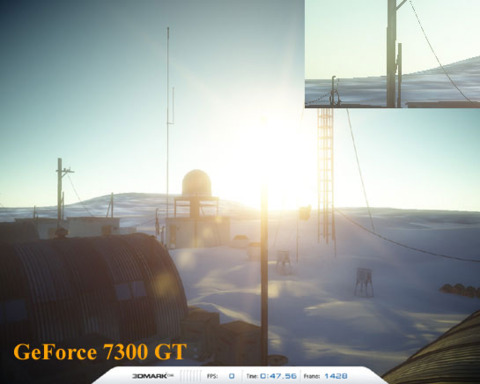
Performance
3DMark06 is a 3D benchmarking program that runs PC systems through four graphics tests and a CPU test to come up with a final numerical score. We stuck with the standard 1280x1024 3DMark06 test here, since the basic score is most commonly used
System Setup: AMD Athlon 64 FX-62 CPU, Asus A8N32 SLI Deluxe, Asus A8R32-MVP Deluxe Motherboard, 1GB (512MB x 2) Corsair XMS Memory, 160GB Seagate 7200.7 SATA Hard Disk Drive, Windows XP Professional SP2.
Graphics Cards: GeForce 7300 GT, GeForce 7300 GS, GeForce 7300 LE, Radeon X1650 Pro, Radeon X1300 XT, Radeon X1300 Pro, Radeon X1300 256MB, Radeon X1300 128MB.
Graphics Drivers: ATI Catalyst 6.8, Nvidia ForceWare 91.31.
Verdict:
[Update - September 27th, 2006]
Originally, the Radeon X1650 Pro was our budget card of choice. However, its MSRP of $99 turned into a street price that ran the gamut from $130 to $185, which pushed it squarely out of the budget category. Compare it to the mainstream cards of our guide.
The budget crown now falls to the Radeon X1300 XT, which has the same core as the Radeon X1650 pro, but with different clock speeds. For roughly $80, the Radeon X1300 XT decisively outperforms other budget offerings and you should actually be able to purchase the card for under $100.
What video card upgrades are you considering? Share your personal video card selection philosophy in the comments below!Got a news tip or want to contact us directly? Email news@gamespot.com
Join the conversation